
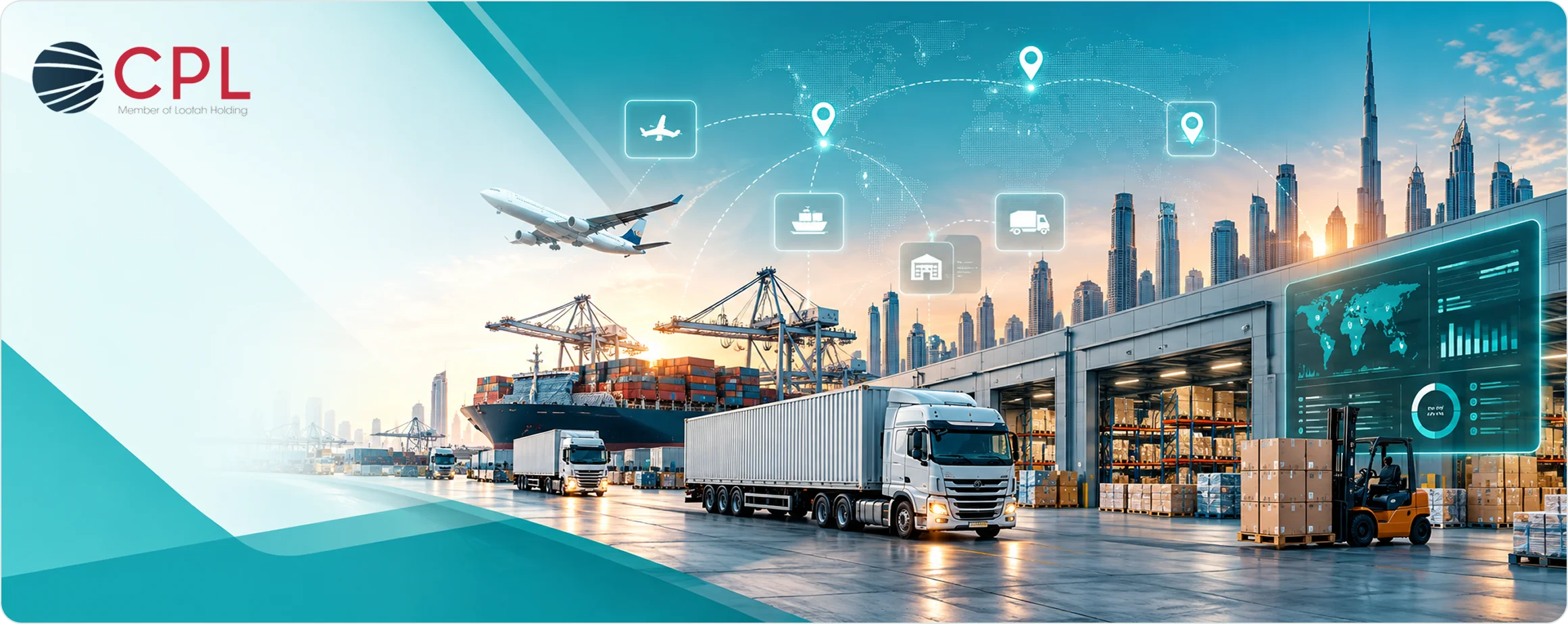
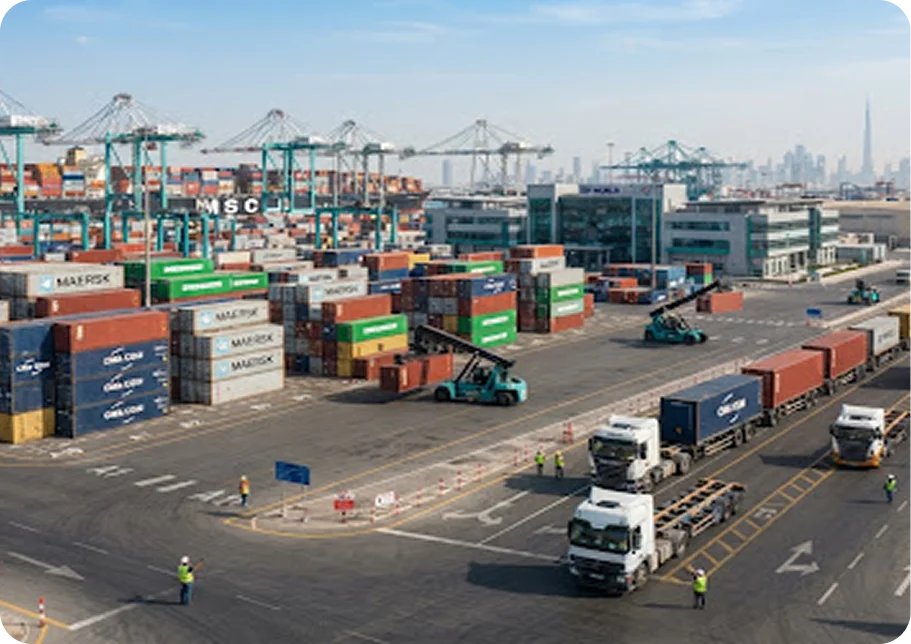


CPL Logistics × LogixPlatform: A case study in rapid implementation and measurable impact
CPL Logistics, the logistics division of Lootah Holding in the UAE, operates from a strategic location at Al Maktoum Airport Street, Dubai—a prime hub connecting air, sea, and land transport networks across the region.
CPL Logistics faced common but critical hurdles that limited efficiency and growth. Their operations were hampered by disconnected systems and manual processes.
Fragmented systems across freight, warehouse, and finance created manual reconciliation burdens and no single source of truth for critical business decisions.
Lack of real-time tracking for shipments, inventory levels, and
performance KPIs hindered
proactive decision-making and
client service quality.
Paper-based warehouse processes and delayed documentation workflows caused bottlenecks in customs clearance, picking, packing, and dispatch operations.
Limited financial integration with
Microsoft 360 resulted in slow
invoicing cycles, billing errors, and
cash flow challenges that
impacted business operations.
An integrated, modular platform designed specifically for complex 3PL operations, combining logistics-specific functionality with enterprise-grade scalability.
Logistics-focused customer relationship management with contract tracking, SLA monitoring, and client-specific workflow management.
Complete freight forwarding suite managing air, sea, and road shipments with AWB, BOL, tracking, and carrier integration capabilities.
Advanced 3PL warehouse management system supporting multi-client inventory, inbound receiving, intelligent picking, and dispatch orchestration.
Comprehensive financial management with automated invoicing, customs duty calculations, and seamless Microsoft 360 synchronisation for accurate reporting.
The LogixGrid team worked alongside CPL’s operations, warehouse, and finance teams to ensure comprehensive business analysis and smooth user adoption through hands-on training sessions.
Business analysis and workflow mapping across all operational areas
Module configuration for FreightNX, WMS, CRM, and Finance systems
Custom workflow creation using NO-CODE engine for client-specific requirements
Rugged mobility device
deployment and warehouse floor integration
Comprehensive user training and successful go-live across all facilities
Order processing time reduced from 7–12 minutes to just 2–4 minutes per transaction
Warehouse productivity increased by 35–50% through optimised workflows and real-time data
Near-perfect accuracy achieved
through rugged device scanning, up from 85–90% baseline
Manual reconciliation effort decreased by 70–80% through automated system synchronisation
Real-time dashboards provide instant access to critical operational data across freight, warehouse, and financial operations—eliminating information silos and enabling proactive management.
Monitor air, sea, and road shipments with real-time status updates, carrier information, and estimated delivery times across all active consignments.
Track inbound receiving, putaway progress, active picking tasks, and dispatch schedules with SKU-level visibility across multi-client inventory.
View invoices generated, customs duties payable, cash flow impacts, and Microsoft 360 synchronisation status for complete financial transparency.
Receive automated notifications for delayed shipments, low stock levels, client SLA breaches, & operational exceptions requiring immediate attention.
The transformation from paper-based processes to mobile-enabled operations revolutionised warehouse productivity, enabling CPL to handle higher volumes with improved accuracy and faster turnaround times.
LogixPlatform’s NO-CODE engine enables CPL to rapidly onboard new clients with unique operational requirements—customising rates, SLAs, routing logic, customs workflows, and reporting formats without writing a single line of code.
This flexibility means CPL can respond to client needs in days rather than months, creating competitive advantage through agility whilst maintaining system stability and reducing dependence on technical resources.
Instant customization of customer rates, invoicing frequencies, and specialized delivery triggers.
Dynamic conditional parameters for cross-border customs declarations and bonded storage rules.
Intuitive visual interfaces allowing operational supervisors to tailor dispatch validations effortlessly.
Enterprise stability guaranteed with isolated version control and immediate rollout capability.
ROI achieved within 60–90 days through operational efficiency gains & accelerated billing cycles
14-day implementation showcasing the power of purpose-built logistics technology
Future-ready architecture supporting business growth and new service offerings
CPL Logistics and LogixGrid have demonstrated that integrated digital transformation—executed with the
right technology partner and shared vision—can revolutionise 3PL operations in record time, delivering
measurable impact across efficiency, visibility, accuracy, and client satisfaction.
Bring all your operations to a single system, streamlining workflows and boosting efficiency.
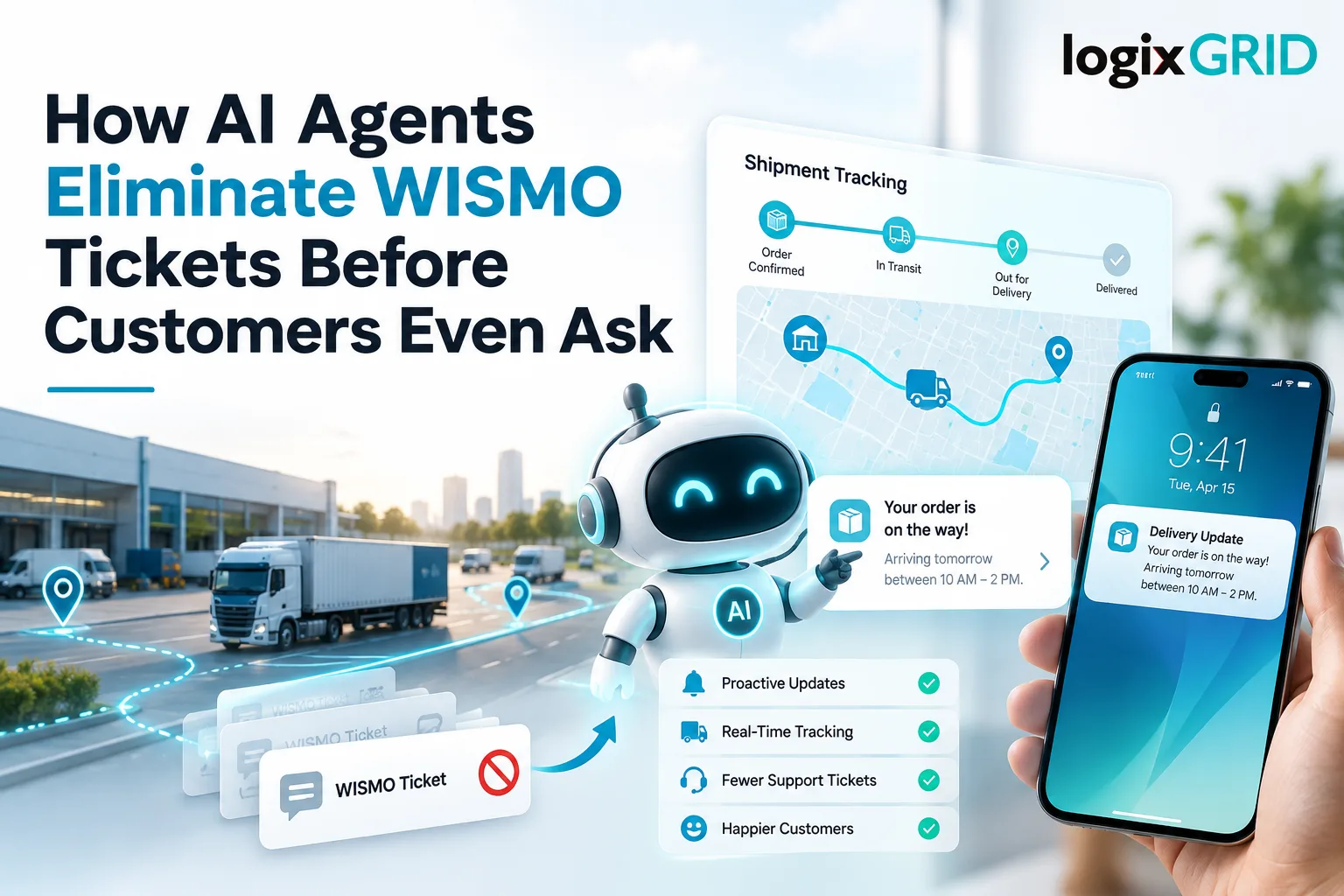
WISMO stands for “Where Is My Order” — the single most common customer support query across e-commerce and direct-to-consumer businesses. A WISMO ticket is raised every time a customer doesn’t know where their order is and can’t find out without contacting your support team.
To reduce WISMO tickets is to solve one of the highest-volume, most repetitive problems in e-commerce customer service. Most WISMO queries have the same answer: the carrier has the package, it’s in transit, and it will arrive on a predicted date. No human insight is required. What’s required is access to real-time tracking data and the ability to communicate it to the customer in the right format at the right time. That’s exactly what AI agents for e-commerce are built to do. LogixFlow by LogixGrid is an AI-based logistics automation platform with out-of-the-box agents specifically designed for order status inquiries — reducing inbound support volume before it becomes a ticket. This guide covers why WISMO happens, what it costs, and how AI agents eliminate it systematically.
WISMO queries have three root causes:
No proactive communication. The customer placed the order, received a confirmation, and then heard nothing until they decided to enquire. No shipping confirmation, no tracking link, no ETA update. The information gap creates the query.
Tracking links that don’t work or don’t update. A tracking number that returns “no information available” or hasn’t updated in 48 hours doesn’t reassure the customer — it escalates concern into a support ticket.
ETA changes with no notification. A delivery that was predicted for Thursday arrives Saturday with no explanation in between. The customer calls because the only update they have is wrong.
All three are information delivery problems, not fulfilment problems. The order may be moving perfectly through the supply chain. The customer just doesn’t know that.
The business cost of WISMO is measurable across three dimensions.
Support volume. Studies across e-commerce operations consistently find WISMO queries represent 35–50% of total support ticket volume. A team sized for general support is spending half its capacity answering questions that a real-time tracking system should answer automatically.
Cost per ticket. The average cost of handling a human-assisted support ticket — agent time, tooling, management overhead — runs ₹200–₹600 in most Indian e-commerce operations. At high order volumes, the aggregate WISMO cost becomes a significant line item.
Customer experience. A customer who has to contact support to find out where their order is has already had a worse experience than one who received a proactive update. The support interaction — even if resolved quickly — doesn’t recover the experience fully. Customer satisfaction scores consistently drop when WISMO volume is high.
Agent morale. Support agents fielding identical repetitive queries for hours reduce effectiveness and increase attrition. The problem costs more than the ticket volume suggests.
The manual process: customer raises a ticket, agent opens the order management system, checks the carrier portal, retrieves the tracking status, and replies. Three to five minutes per ticket, multiplied by hundreds of tickets per day.
Automated order tracking changes the equation at both ends. Outbound: the system sends proactive shipping confirmations, tracking links, and delay notifications without human intervention. Inbound: when a customer does enquire, the automated system retrieves and responds to the status query without an agent touching it.
The manual approach is correct for complex queries — damage claims, wrong items, returns. It is categorically the wrong approach for status queries that have a single factual answer.
An AI agent for order status inquiries does more than retrieve tracking data. It interprets that data in the context of the customer’s expectation and communicates it usefully.
Proactive outbound notifications. The agent monitors the order lifecycle and triggers relevant updates: order confirmed, shipped, out for delivery, delivered. It also triggers exception notifications — delay detected, delivery attempted, held at facility — before the customer notices and before they raise a ticket.
Inbound query resolution. When a customer contacts support with a WISMO query — through chat, email, or WhatsApp — the AI agent reads the order ID or email address, retrieves the current carrier status, and responds with the current location, the estimated delivery date, and any relevant exception notes. This happens in seconds without a human agent.
Intelligent escalation. If the query falls outside the AI agent’s resolution scope — a genuine delivery failure, a damaged item claim, a complaint — the agent escalates to a human with the relevant order context already assembled. The human agent receives a complete handover, not a blank ticket.
LogixFlow’s AI agents include purpose-built order status query handling with carrier API integration and natural language response generation — deployable across WhatsApp, email, and chat surfaces without custom development.
The distinction matters practically. An AI chatbot is a rules-based or LLM-powered conversational interface. It can retrieve a tracking status when a customer asks for it. But it waits for the customer to ask.
An AI agent is autonomous. It doesn’t wait for the customer to raise a query — it monitors the order status, identifies the right moment to communicate, and acts. It can also take actions: triggering a carrier re-delivery request, updating an estimated delivery in the order management system, or escalating an exception ticket to a logistics operations team.
The difference between AI customer support at the chatbot level and at the agent level is the difference between reactive and proactive WISMO management. Chatbots reduce the cost of answering WISMO queries. Agents reduce the number of WISMO queries that arise.
Read more: Warehouse Management System Cost Guide: Pricing & Factors
Prevention is more effective than resolution. The tactics that genuinely reduce WISMO tickets at the source:
Send a shipping confirmation within 30 minutes of despatch. Include the tracking number, the carrier name, and a functional tracking link. This single intervention eliminates a significant share of first-day WISMO queries.
Set realistic ETAs and communicate changes. An ETA that’s off by two days is tolerable when the customer knows about it in advance. It becomes a support ticket when they discover it themselves on the expected delivery day.
Notify on every status change, not just despatch and delivery. Out-for-delivery notifications reduce same-day WISMO queries significantly — customers know the package is coming that day without having to check.
Make tracking self-service and accurate. If the tracking link in the confirmation email doesn’t work, the customer’s next step is a support ticket. Carrier integration quality determines whether the self-service option actually self-services.
Flag delays before customers notice. If the carrier data shows a delay versus the predicted ETA, send an exception update proactively. “Your order has been delayed — here’s the updated delivery date” is a better experience than silence followed by a missed delivery.
Support ticket volume reduction. Businesses that deploy proactive order communication and AI-assisted inbound resolution typically see WISMO ticket volume drop 40–65% within the first 60 days.
Faster resolution time. AI-handled queries resolve in seconds versus the minutes required for human-assisted handling. Customer satisfaction at resolution is consistently higher when the response is immediate.
Scalable without headcount growth. Order volume can double without proportional support headcount growth when WISMO queries are automated. The AI agent handles the volume increase without hiring.
Better data on exception patterns. AI agents that handle WISMO queries at scale surface patterns — which carriers generate the most delay-related queries, which product categories have the highest exception rates — that inform operational decisions.
Human agents focused on complexity. Customer service automation of routine status queries frees human agents for the queries that actually require human judgement: complaints, returns, exceptions, escalations.
To reduce WISMO tickets systematically requires both proactive communication and automated inbound resolution. The technology to do this at scale — AI agents that monitor order status, trigger relevant updates, and resolve incoming queries without human intervention — is available and deployable without custom development.
LogixFlow by LogixGrid provides purpose-built AI agents for logistics operations, including order status query handling with carrier integration, proactive notification workflows, and seamless escalation to human teams. Book a demo at logixgrid.com to see how WISMO automation works in practice.
FAQs
What does WISMO mean in e-commerce?
WISMO means “Where Is My Order” and refers to customer queries about shipment status, location, or expected delivery.
How do AI agents reduce WISMO tickets?
AI agents monitor orders, send proactive updates, resolve status queries automatically, and escalate genuine delivery issues to human agents.
Can AI handle “Where Is My Order” queries?
Yes, AI agents can retrieve real-time tracking information and provide customers with order status, location, and estimated delivery dates.
How can businesses prevent “Where Is My Order” calls?
Businesses can send proactive tracking updates, communicate ETA changes, provide accurate tracking links, and notify customers about delays.
What is the difference between an AI chatbot and an AI agent?
An AI chatbot responds when customers ask, while an AI agent can proactively monitor orders, trigger updates, and take authorised actions.
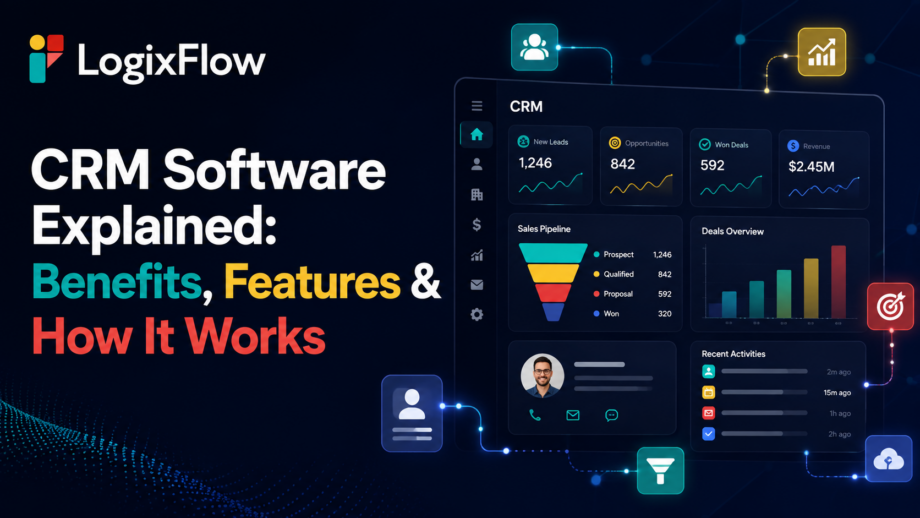
CRM Software
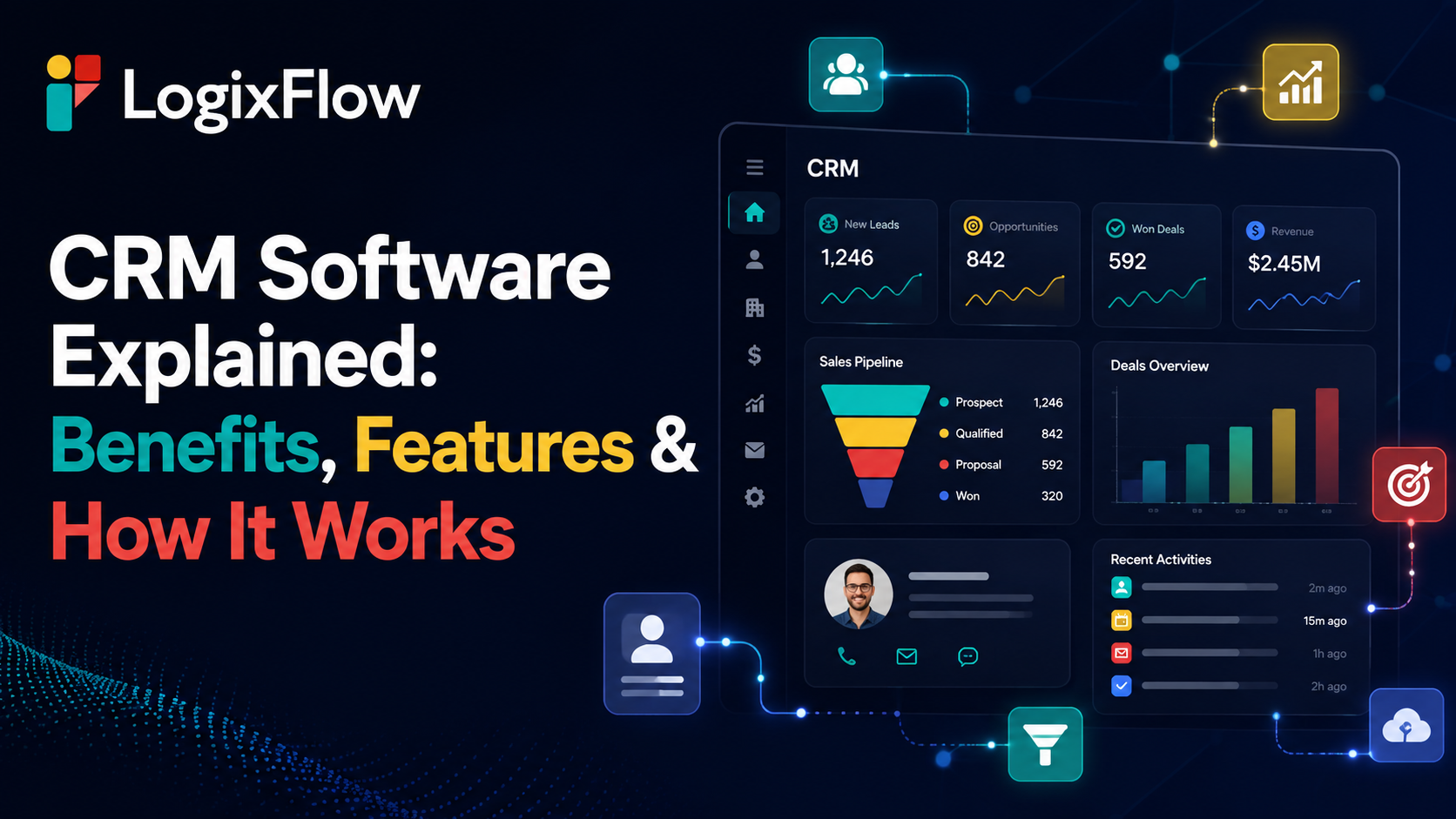
Secrets slip through the cracks. Client details disappear into spreadsheets, emails, and forgotten calls. Good CRM software stops the bleeding. It is not just a digital Rolodex. These systems collect, organize, and act on your data. Let us decode how they run logistics and supply chains.
Defining the tool helps us use it right. At its core, customer relationship management software catches every client interaction before it fades away. Managing relationships is a human practice, but the tech makes it possible. A modern setup catches information, organizes activity, and triggers the next move. It is not just a dashboard. A smart system connects client secrets with your next physical action.
Most guides tell you what the system is but hide the mechanics. Let us lift the hood.
Data sneaks in through forms, calls, and emails. Sales inquiries and connected business applications feed the machine.
The machine sorts raw details. It builds leads, accounts, and active deals while tracking communication history.
The system wakes up. It fires off approvals, assigns tasks, and sends automated alerts.
The numbers reveal the truth. You uncover conversion patterns, pipeline visibility, and service trends.
Customer interaction > Data capture > Customer record > Workflow/action > Team response > Outcome > New data
Instead of an endless checklist, let us group these tools by what they actually achieve. Good CRM software makes these features invisible but essential.
Centralized profiles hold the entire history. You get account details and private notes in one place.
This captures and qualifies new blood. It manages assignments and tracks lead stages.
Track deal stages and expected outcomes clearly. It provides total pipeline visibility.
Emails and calls get logged automatically. Customer conversations are never lost.
Say goodbye to manual clicks. Rules handle repetitive handoffs and stop missed follow-ups.
Dashboards show metrics in real time. Trend analysis keeps you informed.
People constantly ask what are the capabilities of a CRM platform are when they really want to fix a broken process. It breaks down into four layers. Data handles accounts. The process runs tasks. Intelligence offers predictive trends. Integration connects your accounting and eCommerce tools. Remember, a dashboard is a feature. Giving a manager real-time pipeline visibility is a true capability.
Let us look at the real benefits of CRM software instead of generic promises.
Teams work from one shared truth rather than digging through isolated apps.
The machine remembers tasks, so you do not have to rely on spreadsheets.
Managers see the current pipeline reality instead of fragmented reports.
Sales and operations share the exact same notes.
Strict workflows kill wild variations in daily activities.
You grow without breaking down or forcing manual tracking.
Every chat picks up right where the last one left off.
The tool needs a master. If you wonder what is a CRM executive, the answer is pretty straightforward. They are the human running the machine. They maintain records, track leads, and manage communication campaigns. While the platform stores the data, the executive uses that data to run customer-facing operations.
The tech goes way past closing deals. Understanding what are the capabilities of a CRM platform in marketing are means tracking campaigns. Customer service relies on it for issue tracking. Operations needs it for workflow coordination. Management wants it for revenue forecasting. For contractors and interior designers, handling materials means moving heavy freight. This leads us directly into specialized logistics.
LogixFlow built LogixCRM for the messy world of freight forwarding and warehouses. Industry context is everything. A basic CRM software knows about leads. A logistics business deals with shipping containers, compliance documents, and carriers. The LogixFlow ecosystem covers the whole map. You get LogixCRM for relationships. Forms handle feedback. LogixDocs manages files. They also offer LogixDMS for delivery proof, FreightNX for billing, Logix Canvas for dashboards, and Studio for custom apps.
The real trick happens out of sight. A lead comes in. The system assigns it. If you ask what is a CRM executive doing during this time, they are watching the automated operational workflow start. Finally, the client gets an update. LogixFlow uses a workflow model to run this chain. It connects your external tools and handles the heavy lifting automatically.
Bad data is a quiet killer. Duplicate records and missing fields destroy a system. To see the true benefits of CRM software, you need strict validation rules and ownership. Buying a platform does not magically clean your files. Regular data reviews keep the machine running.
Avoid basic checklists. Use a tight decision framework instead.
What is broken right now?
Will it talk to your old tools?
Can it handle repetitive chores?
Will it survive your growth?
Can you change workflows without a developer?
Evaluate what are the capabilities of a CRM platform regarding your specific daily grind.
Let us look at reality. A freight inquiry arrives. The customer relationship management software logs it. Sales gets the lead, and a quote is made. Connected workflows take over. Documents move, approvals pass, and the client gets notified. The database acts as a living operational chain.
We are moving toward predictive insights and real-time data access. Advanced CRM software uses interconnected AI agents to automate tasks. The focus is shifting. It is no longer about recording what happened yesterday. It is about coordinating exactly what needs to happen next.
Customer tracking means nothing without action. Generic systems solve basic problems, while specialized tools resolve complex bottlenecks. The right customer relationship management software handles the heavy lifting. Knowing what is a CRM executive, proves that humans still direct the strategy. You unlock the absolute best benefits of CRM software when data links directly with logistics. Choose your CRM software wisely.
CRM software helps businesses organise customer data, track interactions, manage leads, and streamline customer-related workflows.
A CRM platform can manage customer data, automate workflows, track sales, generate reports, and connect with other business systems.
The benefits of CRM software include better customer visibility, fewer missed follow-ups, smoother team coordination, and more organised sales processes.
A CRM executive manages customer records, tracks interactions, monitors leads, handles follow-ups, and uses CRM data to support customer operations.
Customer relationship management software collects customer information, organises it into usable records, automates tasks, and helps teams act on customer data.
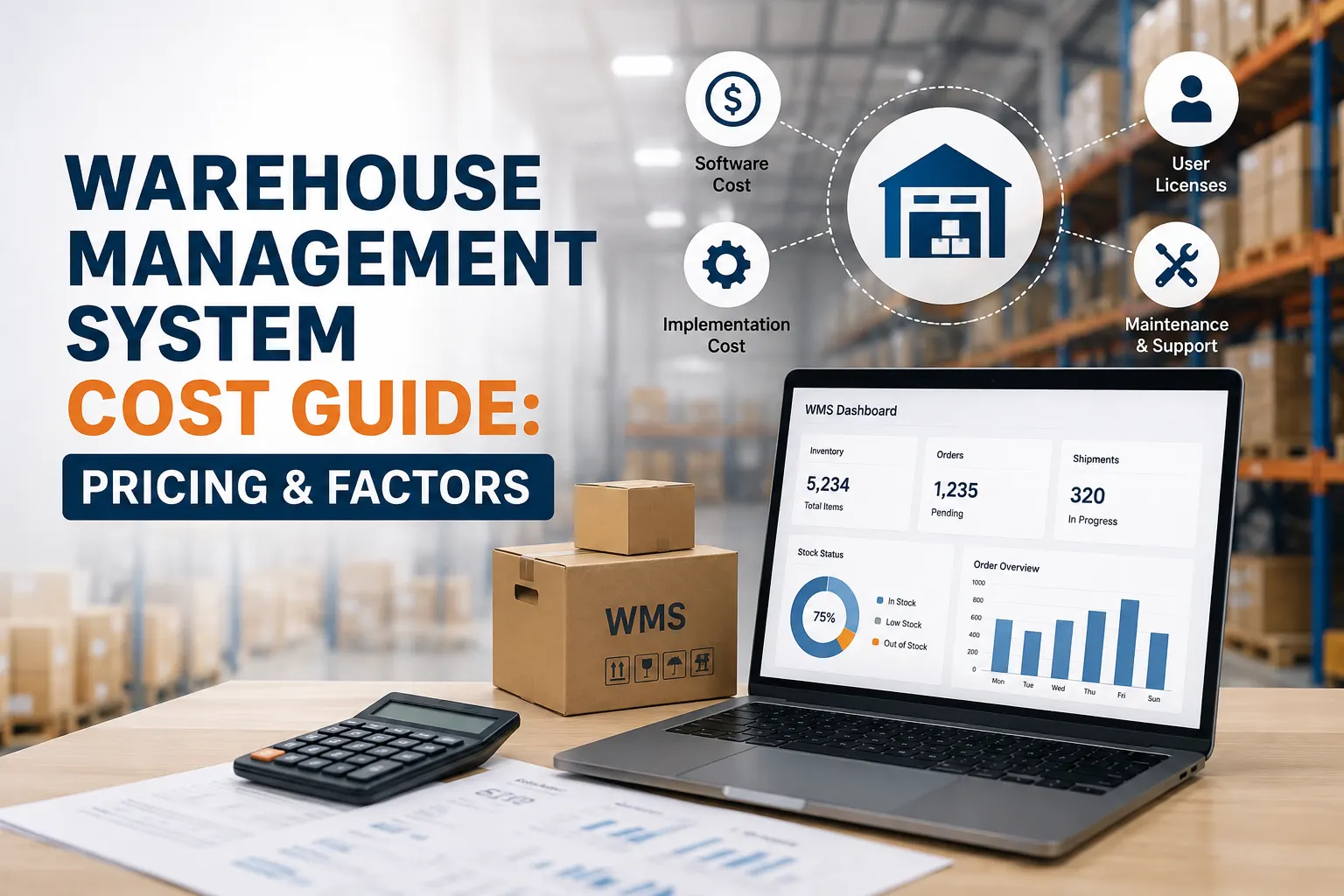
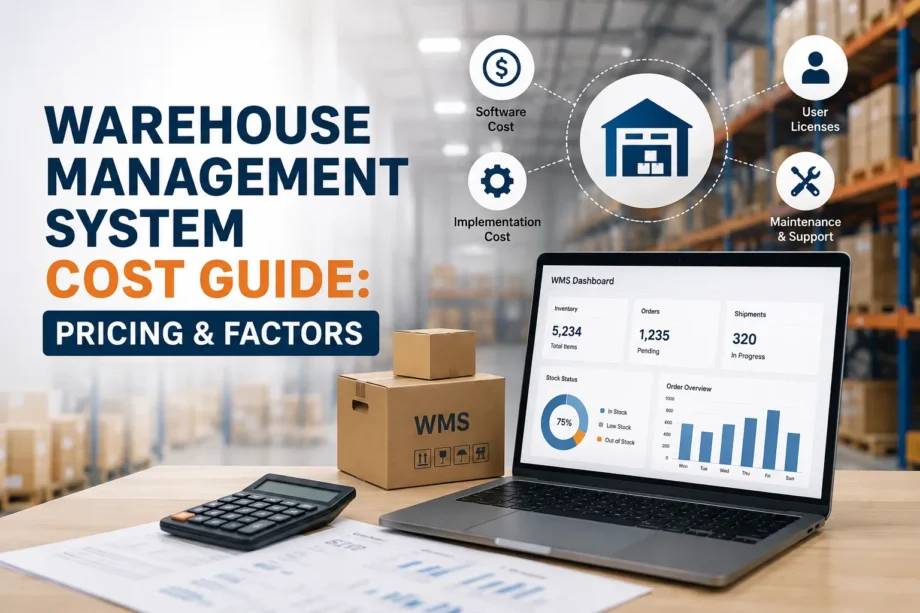
Warehouse Management System Cost
Software quotes hide secrets. A vendor hands over a bright, clean number on paper. It looks safe. Yet, true Warehouse Management System Cost rarely matches that initial piece of paper. The final tab answers to your daily warehouse reality, not just some standard digital license.
Why do two similar facilities get radically different bills for the exact same system? The answer is housed in the details. Headcount, locations, total order volume, active SKU count, and your chosen deployment setup change the math entirely. Throw in integrations, automation, custom tweaks, and setup hours, and the numbers drift even further apart.
Consider this piece a practical WMS pricing guide. We will pull back the curtain on true operational expenses before you sign any contract or request a quote. The goal here is to separate the base software price from the total cost of ownership (TCO).
You are buying the central nervous system of your warehouse. This covers core inventory control, receiving docks, put-away logic, picking routes, packing stations, and outbound dispatch. Core barcode and scanning features live here too, along with daily operational reporting.
Vendors love to charge by the head. Some plans bill for named users, while others look at total operational staff. You have floor workers holding scanners, supervisors tracking quotas, and managers needing admin access. As your headcount climbs, user-based fees can climb right alongside it.
Running a single distribution center keeps things simple. Adding separate facilities and multiple storage locations complicates the billing. Centralized inventory visibility requires more processing power. Logix WMS steps in perfectly here because it supports centralized multi-warehouse inventory management and real-time synchronization right out of the box.
When exploring options, consulting a reliable WMS pricing guide helps clarify exactly what you get. Evaluating different warehouse management system pricing plans requires knowing the core commercial models. Moreover, answering how much does a WMS cost starts with understanding how vendors actually structure their fees.
This path involves recurring monthly or annual payments. Buyers enjoy lower initial capital requirements. Scaling up is generally easy, plus you get regular updates and hosted servers. However, variable expenses rise as you add users or expand locations.
Welcome to the classic model. You pay a heavy upfront license fee. Ownership feels complete, yet you still face potential maintenance and support bills down the road. The cheapest upfront option in year one rarely holds onto that title over a five-year timeline.
| Cost area | Cloud WMS | On-Premise WMS |
| Initial investment | Lower | Higher |
| Infrastructure | Usually provider-managed | Buyer-managed |
| Updates | Usually included | Often managed separately |
| Scalability | Easier | Requires planning |
| IT responsibility | Lower | Higher |
If we look at broad industry reference numbers from ShipHero, cloud deployments run roughly $2,000 to $10,000 monthly. Meanwhile, on-premise builds often land between $100,000 and $500,000. These are general market benchmarks, not LogixGRID pricing.
Do not buy into the myth of a single flat rate. Your final Warehouse Management System Cost depends entirely on how complex your daily routine gets.
| Business profile | Typical requirement | Cost pressure |
| Small/single warehouse | Basic inventory + receiving + dispatch | Users & core modules |
| Growing operation | Multiple warehouses + integrations | Users, locations & integrations |
| Enterprise/3PL | High transaction volume + complex workflows | Implementation, customisation & integrations |
Small operations do not automatically get a tiny bill. Size dictates scale, but complexity drives the actual price.
Adding staff means buying extra licenses. Different access tiers, extra training sessions, and more handheld devices will bump up the final tally.
Turning on a second or tenth facility requires serious backend mapping. You have to configure separate workflows, stock visibility rules, user permissions, and reporting parameters. Handling inter-warehouse transfers correctly takes specialized logic. These elements act as major factors affecting WMS pricing across the board.
System strain correlates with daily order volume and total SKUs. Heavy transaction frequencies, strict batch tracking, lot control, serial numbers, and peak-season volume spikes require a more capable setup.
Your warehouse does not live in a bubble. Connecting the system to an ERP, eCommerce platforms, active carriers, accounting software, external APIs, and physical hardware takes work. LogixGRID deliberately highlights direct integrations with top carriers and third-party apps, alongside highly adaptable custom API tools.
Moving from clipboards to basic barcodes is cheap. Advancing to mobile scanners, automated routing, and heavy robotic automation completely changes the pricing tier.
Standard, out-of-the-box workflows cost very little. Custom business rules, unique approval paths, specialized reports, and niche industry requirements demand developer time. This brings us to the LogixPlatform and LogixFlow ecosystem. They utilize a low-code or no-code approach featuring highly configurable applications, forms, and dashboards.
Getting started is rarely free. The launch phase involves discovery meetings, system configuration, data migration, testing, live training, go-live day, and immediate post-launch support. ShipHero notes that implementation alone runs between $10,000 and $150,000, depending on the challenge. Again, view this as an external reference rather than a LogixGRID quote.
You will need to purchase mobile devices, barcode scanners, label printers, RFID scanners, and serious Wi-Fi upgrades to make the software function properly.
Scrubbing old inventory records demands serious patience. Someone has to standardize SKUs, clean up vendor data, map new locations, and decide what historical data stays or goes.
Handing over a manual does not cut it. Warehouse floor staff, supervisors, and admins need proper education. Plus, you have to budget time for new employee onboarding down the line.
Technical help desks, ongoing updates, service level agreements, dedicated account managers, and future configuration tweaks all add ongoing charges.
Open APIs do not mean free connections. Custom mapping, middleware, testing phases, data synchronization, error handling, and overcoming third-party limitations require paid technical work. These hidden technical hurdles serve as critical factors affecting WMS pricing during setup.
Local supply chain realities look different. The actual warehouse management software cost in India shifts based on facility sizes, local implementation demands, specific GST accounting workflows, facility counts, and regional integration needs. Local hardware rates and support expectations also move the needle.
Smart buyers look past the basic monthly fee. Plotting out warehouse management software cost in India means mapping exactly where your cash goes over 12 months.
First-Year WMS Budget = Software + Implementation + Integrations + Hardware + Training + Support
Long-Term TCO = First-Year Cost + Recurring Costs + Expansion Costs
If you still want to know exactly how much does a WMS cost, you have to view it as an evolutionary spectrum.
Plaintext
Basic WMS
↓
Core inventory + receiving + dispatch
↓
Growing WMS
↓
Multi-warehouse + integrations + reporting
↓
Advanced WMS
↓
Automation + custom workflows + complex integrations
↓
Enterprise WMS
↓
High-volume + multi-site + highly customised operations
Current online data proves cloud pricing scales from affordable small-business subscriptions up to thousands of dollars per month. Large enterprise deployments easily cross into six-figure territory. Context is everything. Understanding the answer to how much does a WMS cost means knowing exactly where you sit on that visual spectrum.
When reviewing warehouse management system pricing plans, you must force transparency from the vendor. It acts as a definitive WMS pricing guide checklist for your procurement team.
| Ask the vendor | Why it matters |
| What is included in the base plan? | Prevents surprise add-ons |
| Are users charged separately? | Reveals scaling costs |
| Are additional warehouses charged? | Important for expansion |
| Are APIs included? | Integration can alter TCO |
| Is implementation included? | Avoids underbudgeting |
| What hardware is required? | Captures infrastructure cost |
| Is support included? | Identifies recurring expenses |
| What happens when volume grows? | Tests scalability |
| What customisation is included? | Controls scope creep |
| What is the 3-to-5-year TCO? | Compares long-term value |
You cannot evaluate total expenses without understanding the underlying factors affecting WMS pricing over time. Many companies stumble because they fail to scrutinize their warehouse management system pricing plans over a multi-year window.
Your initial launch year looks like this:
Licence/Subscription + Implementation + Integration + Hardware + Data Migration + Training + Initial Support
Your standard operational months look like this:
Subscription + Support + Additional Users + Additional Warehouses + Integration Maintenance + Hardware Replacement
Factor in future moves like adding a new warehouse, hiring more staff, tapping new sales channels, linking a new carrier, or demanding new reports. A seemingly cheap quote today often transforms into an expensive nightmare tomorrow. Examining the overall warehouse management software cost in India demands factoring in these future scaling expenses.
Warehouses do not operate in a vacuum. Your stock interacts directly with active transportation, accounting desks, delivery vehicles, and paying customers. LogixGRID approaches this reality as a complete logistics partner, completely bypassing the limits of a standalone application.
The LogixGRID ecosystem currently includes:
This platform delivers subscription-based modules, deep analytics, and highly adaptable APIs. Over 6,000 worldwide users rely on these tools across 20 countries, managing 2.5 million monthly shipments for 300-plus businesses. A connected system makes calculating the true Warehouse Management System Cost much easier because everything talks natively.
Map out exact numbers for facilities, floor workers, active SKUs, standard orders, and daily processes.
Write down every required ERP, eCommerce store, carrier, API, and handheld scanner.
Do not settle for a basic monthly sheet. Demand clear one-year, three-year, and five-year projections to understand the genuine Warehouse Management System Cost.
Read more: AI Agents for Logistics: From Chatbots to Real Automation
Average software numbers mean nothing. The license fee represents just one small part of the puzzle. Handheld scanners, implementation hours, custom coding, training sessions, and user licenses dictate the final invoice. Buyers must prioritize scalability and long-term TCO over the absolute lowest initial quote. When considering Warehouse Management System Cost, knowing your internal operational demands is your best defense against bad contracts. LogixGRID offers a broader logistics platform built to handle complex growth right alongside you. The real trick lies in budgeting for exactly what your floor needs.
| Acronym | Meaning |
| WMS | Warehouse Management System |
| SaaS | Software as a Service |
| TCO | Total Cost of Ownership |
| ROI | Return on Investment |
| SKU | Stock Keeping Unit |
| ERP | Enterprise Resource Planning |
| API | Application Programming Interface |
| RFID | Radio Frequency Identification |
| 3PL | Third-Party Logistics |
| 4PL | Fourth-Party Logistics |
| TMS | Transport Management System |
| DMS | Delivery Management System |
| LMS | Logistics Management System |
| CMS | Courier Management System |
| CRM | Customer Relationship Management |
WMS costs vary based on users, warehouses, features, integrations, and implementation needs.
User count, warehouse size, order volume, customisation, integrations, and deployment model can affect pricing.
Plans may include inventory management, order processing, reporting, user access, integrations, and support.
The cost depends on business size, required features, deployment model, integrations, and implementation scope.
A WMS pricing guide helps you compare upfront, recurring, and hidden costs before making a decision.
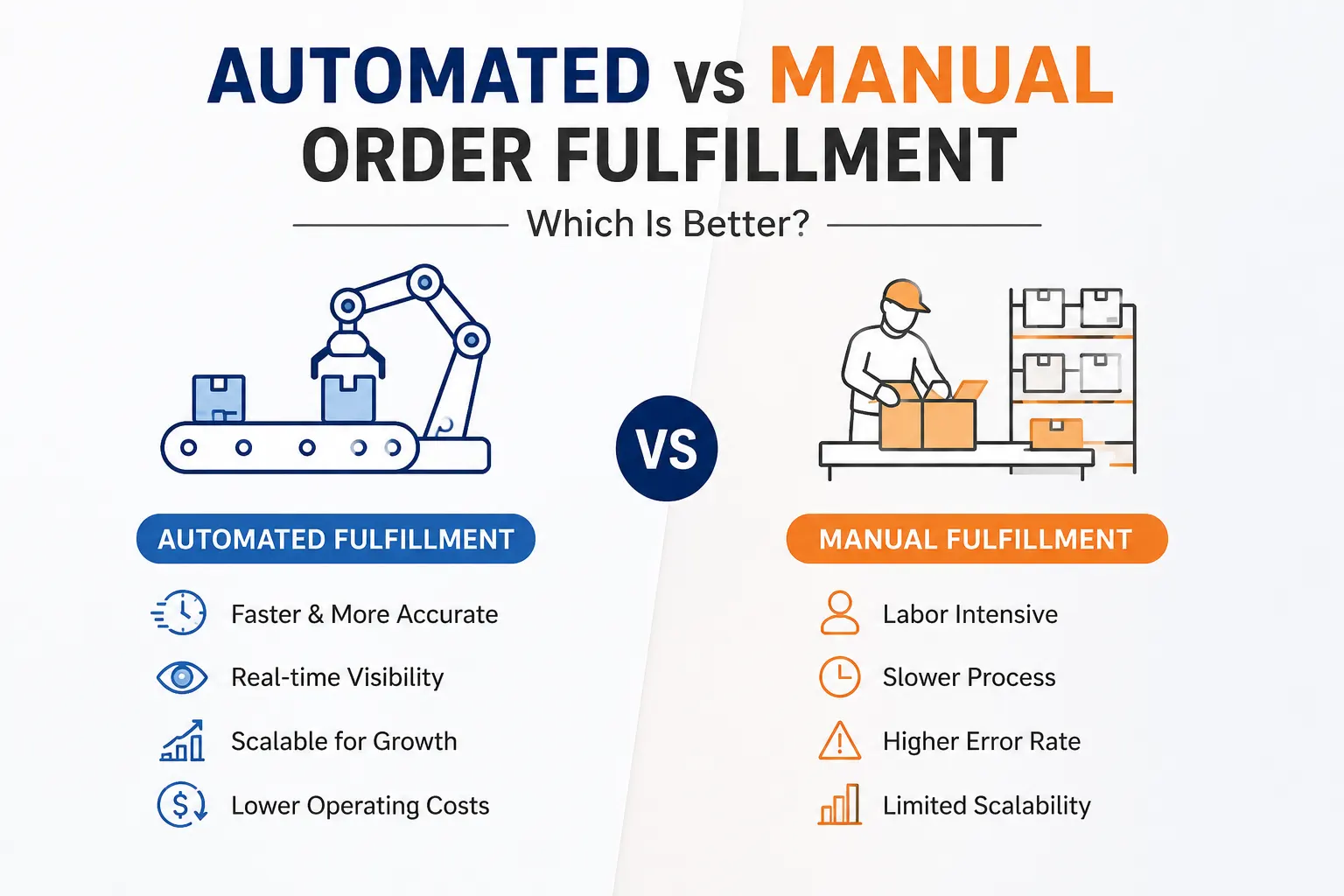
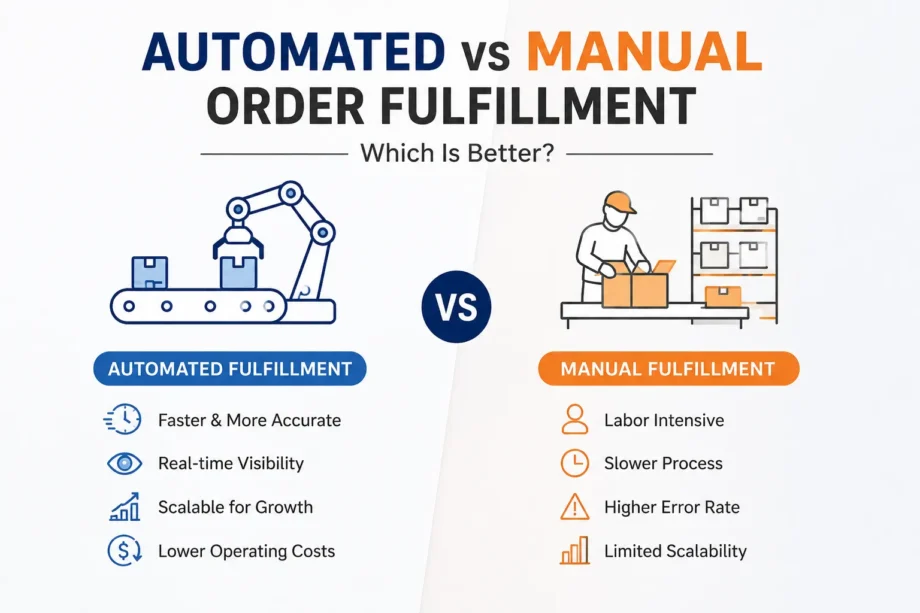
Automated vs Manual Order
Midnight hits. A tired shopper taps the buy button on their phone. They fall asleep expecting a delivery truck by sunrise. Magic? Not quite. Moving merchandise from a dusty warehouse shelf to a front porch hides a brutal string of unseen operations. Figuring out automated vs manual order fulfillment goes far beyond picking flashy software over human muscle. You have to find an operational fit.
Getting a product out the door requires heavy lifting. You have to lock down the sale and clear the payment. Then comes verifying stock. Someone has to grab the items, pack the box, print the tag, and hunt down the delivery driver. Do not forget to track the route and deal with returned items later. A basic manual setup might hum along nicely for fifty daily orders. Push that to five hundred or five thousand, and the whole building grinds to a halt. The smartest operational move? Pick the system that holds accuracy steady and keeps visibility crystal clear when daily chaos multiplies.
To grasp the core differences, we must look at the complete lifecycle of a purchase. Every single step represents a potential handoff point.
Customer Order
↓
Order Validation
↓
Inventory Check
↓
Order Allocation
↓
Picking
↓
Packing
↓
Shipping & Dispatch
↓
Tracking
↓
Delivery / Return
Systems driven by humans and machines differ drastically at every one of these handoff moments, not merely when a worker walks down an aisle to grab a product. Information changes hands repeatedly.
Look at standard setups on platforms like O2VEND. Manual processing usually relies on a person handling every step from order entry to shipping. A worker stares at an inbox or a basic portal, waiting for sales to roll in. They physically check the stockroom or type an update into a spreadsheet. After that, a person has to assign the goods, get picking instructions printed, create shipping labels by hand, change the dispatch status, and send a message to the buyer. Once closing time hits, somebody has to sit down and reconcile the books by hand.
Delays hide in the empty spaces between tasks. A worker waits for someone else to finish checking the stockroom. One computer program holds information that another lacks. A single order gets double-checked for absolutely no reason. A stock update happens too late, meaning a second customer just bought a sold-out item. Shipping labels get generated separately from the primary sales record.
The main disadvantages of manual order fulfillment stem from information moving slowly between isolated workers and disconnected software, rather than humans moving too slowly. Managers often miss how these disadvantages of manual order fulfillment ruin customer trust over time. Eventually, the worst disadvantages of manual order fulfillment drag the whole business down.
Software steps in to connect the dots instantly. It links order intake, stock validation, allocation, picking guidelines, carrier selection, label generation, notifications, tracking, and exceptions without a single pause. Platforms like LogixGRID handle these connections through custom APIs, real-time dashboards, and carrier integrations. There is zero waiting around for a spreadsheet update.
Here lies the true secret. Debating automated vs manual order fulfillment does not mean looking for ways to fire your entire staff. Automation simply takes human attention away from mindless, repetitive clicking. It points your team toward handling exceptions, making strategic decisions, and supervising the overall flow. Machines do the routing while humans do the thinking.
Comparing the approaches side by side reveals a massive shift in how data travels. A true manual vs automated fulfillment process comparison shows that software wins mostly because it maintains a continuous data stream between stages, rather than just doing individual tasks faster.
| Fulfillment Stage | Manual Approach | Automated Approach |
| Order entry | Human entry or import | System integration |
| Stock check | Manual lookup | Real-time system validation |
| Allocation | Employee decision | Rule-based allocation |
| Picking | Printed list instructions | Digital or mobile workflows |
| Packing | Manual verification | System-guided process |
| Label creation | Separate or manual | Automated generation |
| Carrier selection | Human choice | Configurable rules |
| Tracking | Manual updates | Automated status flow |
| Exceptions | Employee discovers issue | Alerts and workflows |
| Reporting | Spreadsheet consolidation | Dashboard analytics |
When studying this setup, notice how a manual vs automated fulfillment process differs fundamentally. The manual side requires a person to push the data forward at every single step. Connectivity beats raw speed every single time.
When comparing a manual vs automated fulfillment process, everyone looks at the clock first. A digitized system delivers faster order processing, cuts out repetitive data entries, speeds up label generation, and fires off status updates instantly. It also reduces your reliance on a single employee who holds all the operational secrets in their head. The most obvious automated order fulfillment benefits save you time immediately.
The deeper automated order fulfillment benefits hide beneath the surface. You get lower coordination overhead since managers spend less time delegating basic tasks. Traceability skyrockets. Process execution becomes entirely consistent. You catch exceptions way earlier, gather vastly superior operational data, and can onboard new staff in days instead of months. These hidden gains replace fragile tribal knowledge with hardcoded operational rules.
Despite the common downfalls mentioned earlier, human hands remain the smarter choice under certain conditions. Extremely low daily volumes make complex software unnecessary. When you sell completely custom products, deal with unpredictable workflows, or build strange one-off creations, you need a real person making judgment calls at every single step. Startups still trying to figure out their target market usually do better when they keep things manual. If the technology costs more than the problem it solves, stick to clipboards. Manual labor is not automatically a bad thing. Problems only surface when your team drowns under an overwhelming flood of repetitive daily tasks.
Evaluating the pros and cons of automated fulfillment keeps expectations grounded.
| Pros | Cons |
| Faster repetitive processing | Initial implementation cost |
| Consistent workflows | Integration complexity |
| Better visibility | Requires process standardization |
| Easier scaling | Staff training required |
| Reduced data entry burden | Poor configuration speeds up bad processes |
| Better auditability | System downtime halts operations |
Reviewing the pros and cons of automated fulfillment reveals one massive trap door. Software cannot fix a bad workflow. It only forces a terrible workflow to run at lightning speed. Bad SKU mapping or wrong inventory rules will trigger absolute chaos. Flawed carrier rules or duplicate order glitches create huge messes much faster than any human worker ever could. The system merely follows the instructions you provide.
Forget about throwing out random industry statistics. Think about a basic illustrative calculation instead.
Say your warehouse receives 100 orders daily. If human handling takes 6 minutes per order, you face 600 minutes total. That equals 10 hours of staff time every single day. If technology cuts out 3 minutes of repetitive clicking per order, you save 300 minutes. That brings you down to 5 staff hours daily. Over 26 operating days, you save 130 staff hours a month.
When analyzing automated vs manual order fulfillment, actual math beats guesswork. Your true financial calculation must include the software price, integration fees, labor costs, rework expenses, returns, SLA penalties, and the opportunity cost of doing nothing.
To accurately answer is automated order fulfillment better than manual, you have to run these numbers for your specific warehouse.
If you are wondering is automated order fulfillment better than manual, this decision matrix can guide you.
| Situation | Better Fit |
| Very low volume | Manual |
| High repetitive volume | Automated |
| Many sales channels | Automated |
| Complex custom orders | Hybrid |
| Frequent exceptions | Hybrid |
| Real-time inventory requirement | Automated |
| Highly variable processes | Hybrid |
| Rapid scaling | Automated |
Usually, the answer leans toward yes. Growing companies juggling multiple sales channels, heavy SKU counts, and complex daily setups definitely need the upgrade. Yet, the choice is never completely absolute. When board members ask is automated order fulfillment better than manual, point them to the daily data. Figuring out the right path depends entirely on your current scale and complexity.
Unlocking true automated order fulfillment benefits requires flexible software like LogixGRID. It acts as the ultimate companion for logistics operations needing more than a basic order processor. The system brings a lot to the table with dedicated modules. You get Logix WMS for running the warehouse, Logix LMS for managing logistics, and Logix TMS for handling transportation. They also pack in Logix DMS to manage deliveries and Logix CMS for tracking couriers. Need more? You can plug into Logix NEO for on-demand delivery tasks, or use Logix FreightNX, Logix Finance, and the Logix Shipping API. They even throw in LogixCRM, LogixDocs, and LogixForms.
When examining automated vs manual order fulfillment, having customizable tools makes all the difference. Instead of trapping your operation inside rigid software boundaries, they provide custom building blocks. LogixStudio and LogixFlow let you map out totally unique workflows, personalized rules, and fresh dashboards straight from the ground up. The main question is not merely deciding to digitize. It is finding technology that adapts to the way your supply chain actually functions.
Understanding the pros and cons of automated fulfillment leads directly to a hybrid approach. The smartest warehouse operators digitize the repetition and reserve human judgment for the exceptions. You might want automated inventory validation paired with human approval for highly unusual bulk purchases. You can set up instant carrier selection but flag shipping delays for human intervention. System-generated customer notifications work perfectly until a major escalation requires a genuine apology from a real person.
Read more: What Is an Automotive Logistics Management System?
Human-driven processing absolutely works in the right context. Yet, digital intervention becomes mandatory as volume and complexity rise. Debating automated vs manual order fulfillment is never really about making human workers disappear. The true measure of success is whether your team spends less time moving raw data from one screen to another and more time solving meaningful logistical problems.
Automated fulfillment uses software and workflows to handle repetitive tasks, while manual fulfillment relies mainly on people.
Faster processing, fewer manual errors, better inventory visibility, and easier scaling are key benefits.
It can take more time, create data-entry errors, and become difficult to manage as order volumes grow.
Automation offers speed and consistency but may require upfront investment, integration, and staff training.
For growing, high-volume operations, automation is usually better, while smaller or highly customized operations may prefer a manual or hybrid approach.
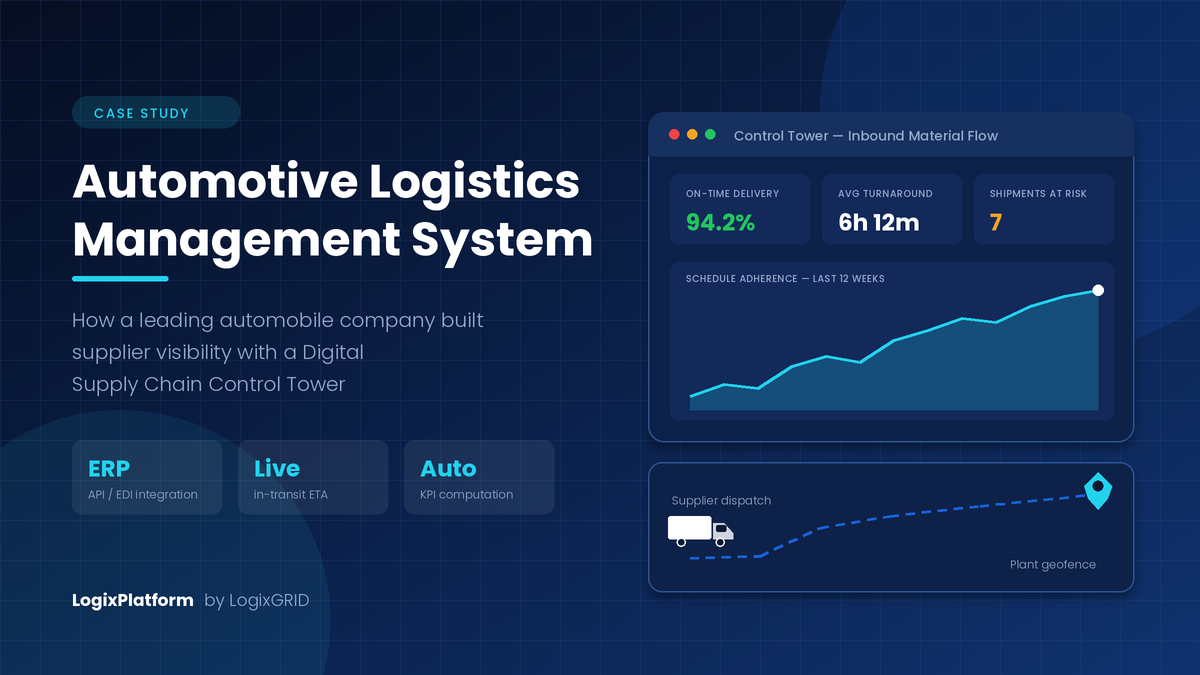
Automotive manufacturing runs on precision. A single vehicle is assembled from thousands of parts sourced from hundreds of suppliers, and every one of them has to arrive at a specific gate, on a specific day, in a specific sequence. There is no buffer to hide behind — modern OEMs deliberately run lean, which means the inventory that used to absorb supply shocks simply isn't there anymore.
The consequence is brutal arithmetic. Industry estimates put the cost of unplanned downtime at an average automotive plant at roughly USD 22,000 per minute, with high-volume lines running closer to USD 50,000 per minute — about USD 3 million an hour. A single truck stuck outside a plant gate for 45 minutes can erase more than half a million dollars of output.
And yet, in a startling number of OEM supply chains, the answer to "where is that consignment right now?" is still a phone call to a transporter, followed by a WhatsApp message to a driver.
That gap — between a meticulously planned schedule and a completely unobserved execution — is what an automotive logistics management system is built to close.
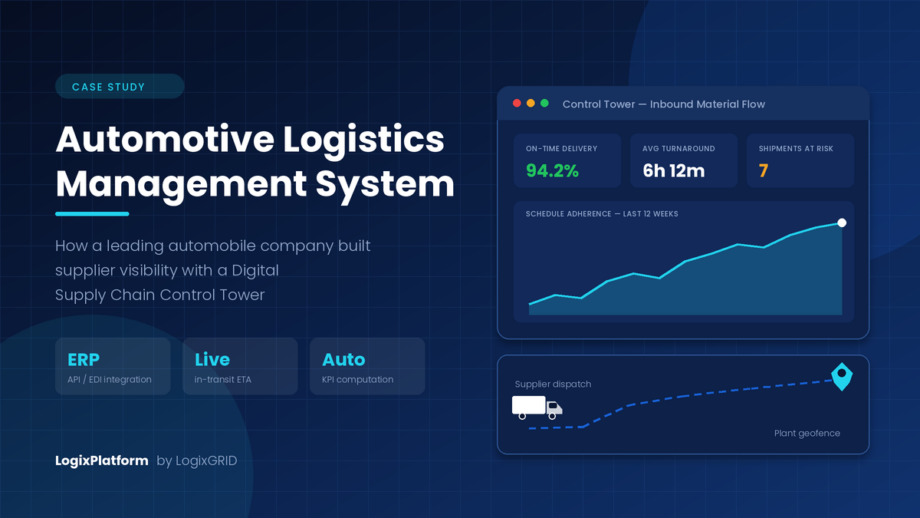
This post walks through exactly how a leading automobile company closed it, using a Digital Supply Chain Control Tower built on LogixPlatform.
Before the case study, the market context — because this is not a niche problem.
All financial figures in this article are stated in US dollars.
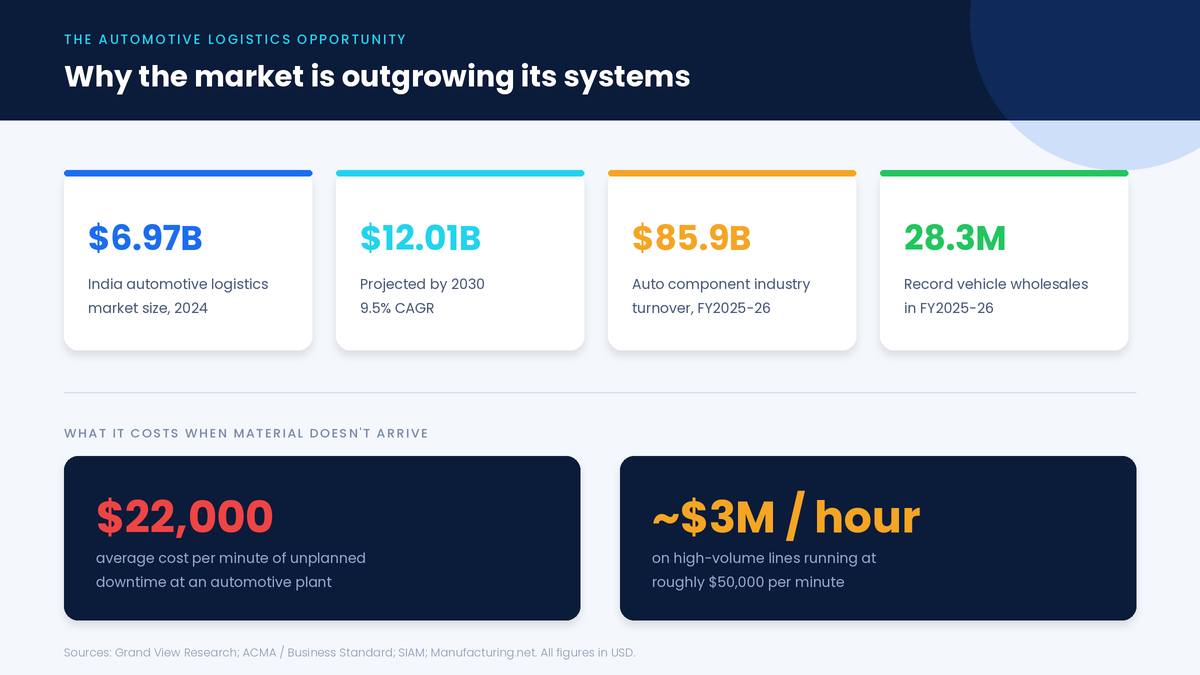
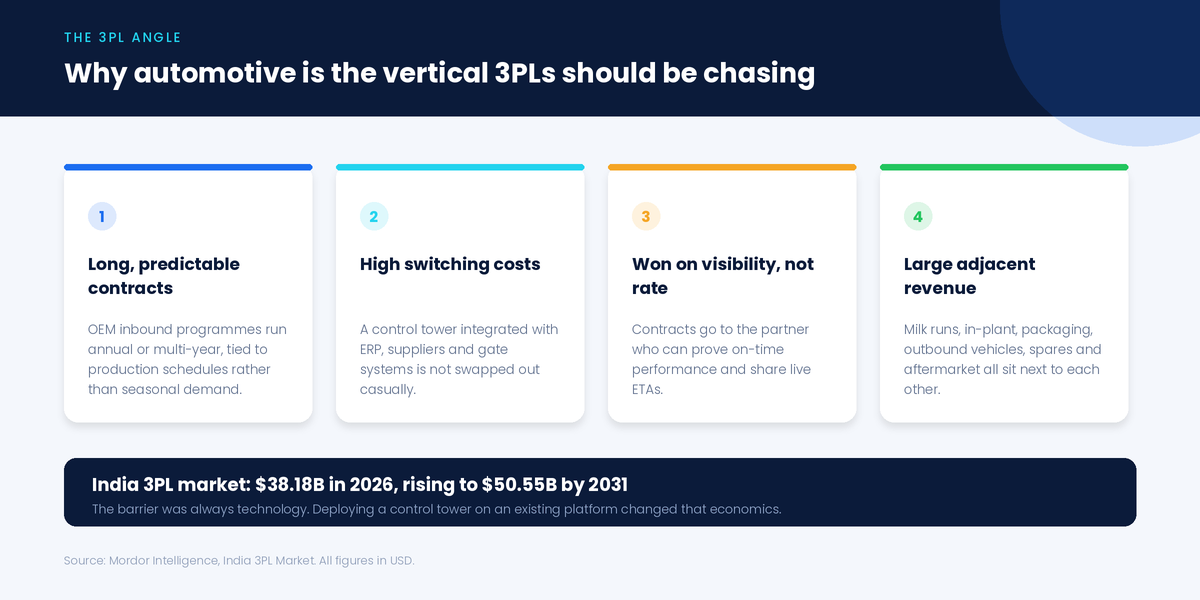
Supplies to OEMs alone grew 16.3% to USD 75 billion in FY2025–26. Every dollar of that is a physical movement someone has to plan, dispatch, track and receive. Read those numbers together and the picture is clear: more volume, more variants, more inbound complexity — against planning systems that largely stop at the ERP boundary.
For third-party logistics providers, automotive is one of the most attractive verticals available — and one of the hardest to win on price alone.
OEM inbound programmes are annual or multi-year, tied to production schedules rather than seasonal demand. That's revenue a 3PL can actually plan around.
An automotive logistics management system integrated with an OEM's ERP, its supplier network and its gate systems is not swapped out casually.
OEMs do not award milk-run or line-feed contracts to whoever quotes two dollars less per trip. They award them to the partner who can prove on-time performance, share live ETAs and produce clean KPI data at the monthly review. A 3PL that shows up with a control tower dashboard is competing on a different axis entirely.
Inbound milk runs, in-plant logistics, packaging and returnable bin management, finished-vehicle outbound, spare-parts distribution and aftermarket fulfilment all sit next to each other. Win visibility on one, and you're the incumbent for the rest.
This was not a disorganised operation. Quite the opposite — production schedules were planned well in advance and shared with suppliers through a structured process. The breakdown was not in planning. It was in observing execution.
Once a schedule left the ERP, it disappeared into a blind spot until material physically showed up at the gate. Specifically:
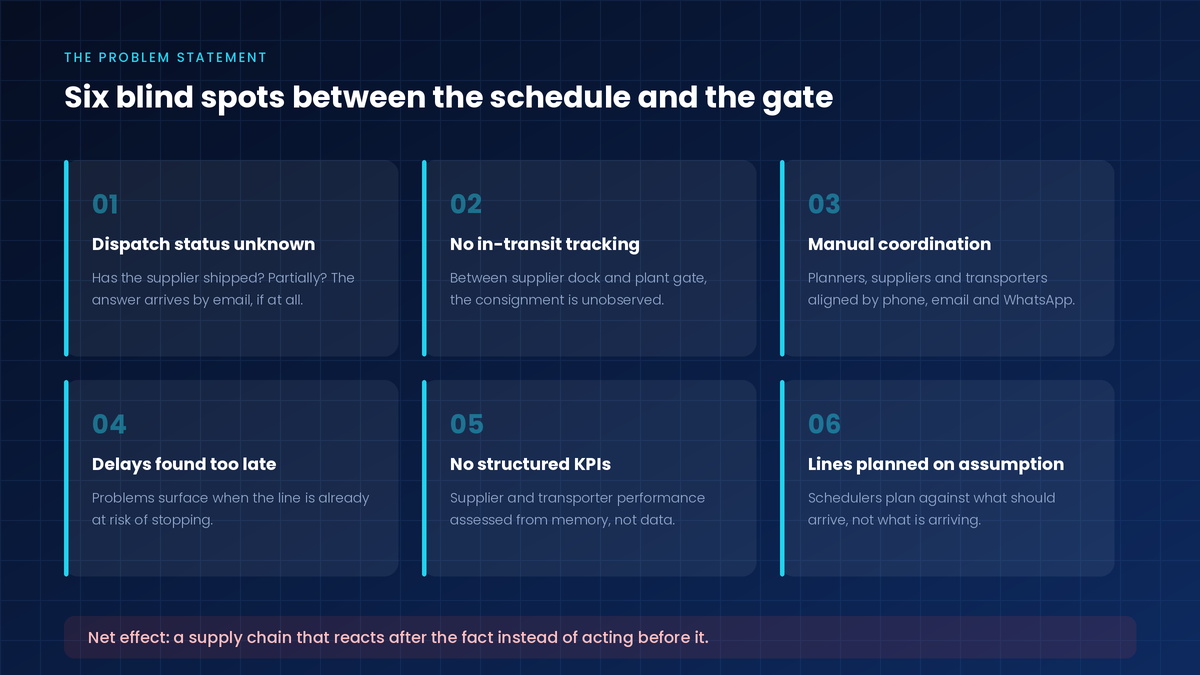
The net effect: a supply chain that was reactive rather than proactive. Every intervention happened after the fact.
The fix was not another tracking app bolted onto the side. It was a Digital Supply Chain Control Tower implemented on LogixPlatform, with one design principle behind it:
Bring every stakeholder — OEM teams, suppliers and logistics service providers — onto a single connected platform, so that scheduling, dispatch and transportation stop being three separate systems that occasionally email each other.
Instead of three silos loosely stitched together by human effort, all activity was aligned through one system of record.
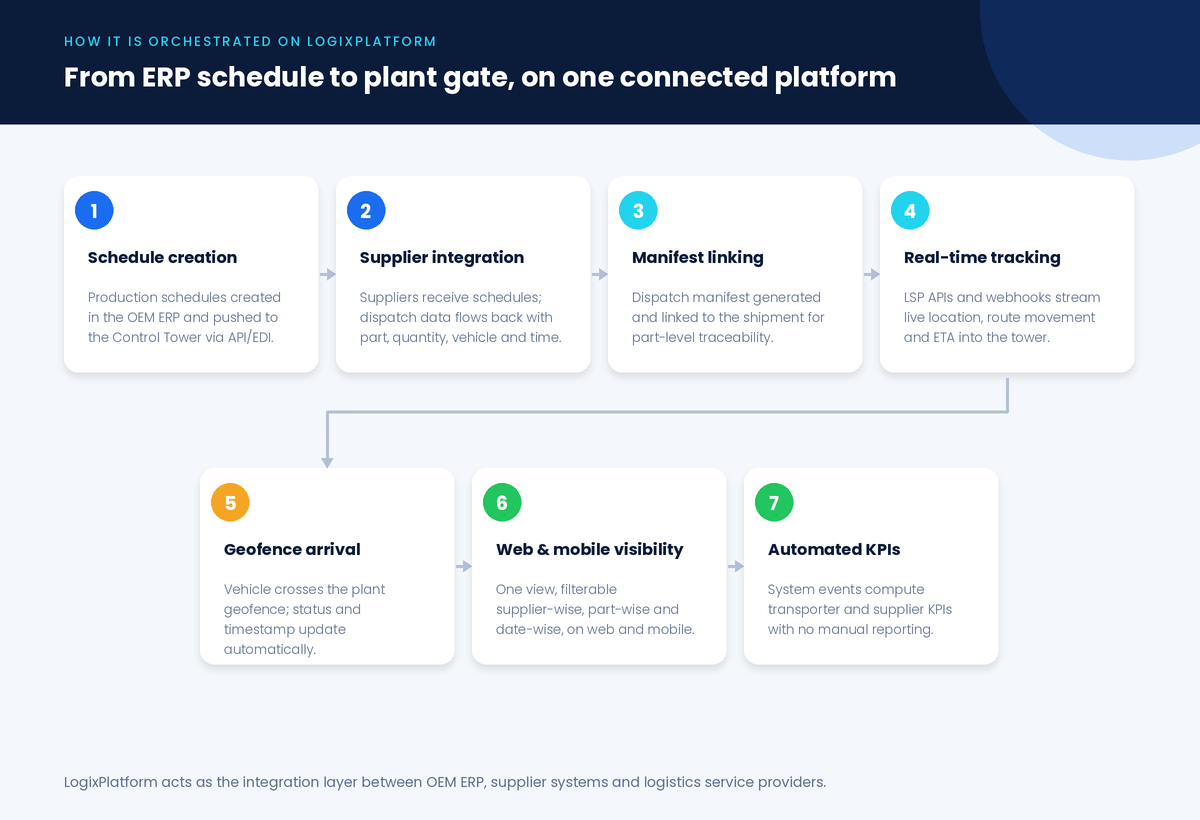
Production schedules originate where they should — in the OEM's ERP — and are transmitted automatically to the Control Tower via API/EDI integration.
No re-keying. No spreadsheet attached to an email. System-to-system communication, end to end.
Suppliers receive schedules directly in their own systems, or through the supplier interface if they don't have one to integrate.
When material is ready and dispatched, dispatch data is pushed back to the Control Tower via API — capturing part number, dispatch quantity, vehicle details and dispatch time. The system then automatically maps each dispatch against the original schedule line.
This is the first moment of truth in an automotive logistics management system: planned versus actual dispatch, visible the instant it happens.
At dispatch, a manifest is generated and linked to the shipment, then integrated with the OEM tracking system through the Control Tower. That gives the OEM:
When a truck is delayed, the planner doesn't just know a truck is late. They know which part numbers, in what quantity, for which production line.
LogixPlatform integrates with Logistics Service Providers through APIs and webhooks, receiving continuous vehicle tracking data into the Control Tower: live vehicle location, route movement visibility and Estimated Time of Arrival (ETA).
In-transit material stops being a black box.
A geofence is configured around the plant. When a vehicle crosses it, the system automatically updates status to "Arrived at Gate", records the arrival timestamp, and publishes it instantly to the Control Tower.
Why this small automation matters. Manual gate entry is the single most commonly disputed timestamp in inbound logistics — and it's the one every turnaround-time calculation depends on. Automating it removes both the delay and the argument.
All integrated data flows into a centralised platform accessible on web and mobile. OEM teams can track material linked to each vehicle, monitor real-time shipment status, view ETAs and flagged delays, and filter supplier-wise, part-wise and date-wise.
A plant manager standing on the shop floor gets the same picture as a planner at a desk.
This is where a control tower separates itself from a tracking tool. Because every critical event — schedule creation, dispatch confirmation, in-transit movement, gate arrival — is captured digitally inside LogixPlatform, the system computes performance KPIs automatically, in real time, from actual events rather than manual reporting.
| KPI | How it is derived |
|---|---|
| Turnaround Time (TAT) | Dispatch timestamp → geofence-based gate arrival |
| Planned vs Actual Delivery | Expected ETA vs actual arrival time |
| On-Time Delivery % | Share of shipments delivered within defined timelines |
| Delay Analysis | Delayed shipments with delay duration and frequency |
| KPI | How it is derived |
|---|---|
| Schedule Adherence | Planned dispatch timeline vs actual dispatch timing |
| Quantity Fulfilment (Fill Rate) | Scheduled quantity vs dispatched / delivered quantity |
| Order Execution Accuracy | Right part, right quantity, right time |
| Short / Excess Supply | Under- and over-supply against planned schedules |
Automated dashboards. KPI data aggregates onto the Control Tower dashboard on its own. Trends are analysable over time, exceptions are highlighted for action, and no one spends the last week of the month building a performance deck.
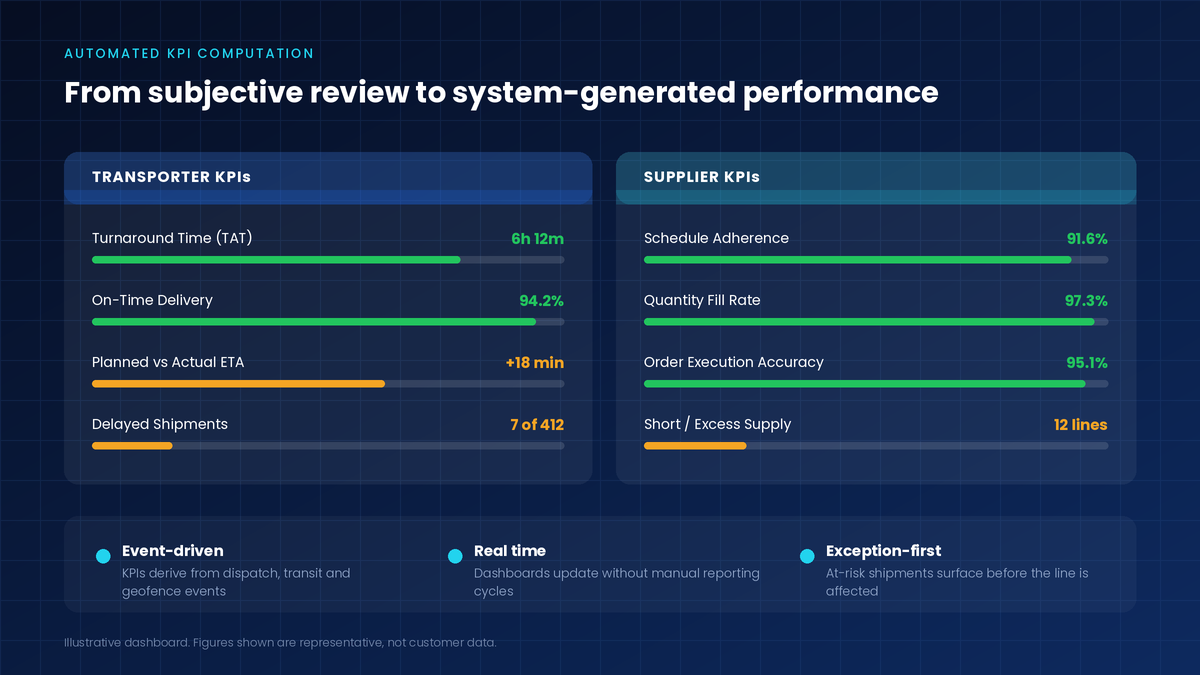
The strategic shift here is bigger than the reporting savings: the OEM moved from subjective assessment to objective, real-time performance management across the entire supplier and transporter base. Vendor reviews stopped being debates.
In short: a supply chain that moved from reactive firefighting to controlled, proactive management.
A connected supply chain is no longer optional in automotive manufacturing. The volumes are rising, the variant complexity is rising, the buffers are gone, and the cost of a stopped line has never been higher.
By implementing a Digital Supply Chain Control Tower on LogixPlatform, an OEM brings suppliers, transporters and internal teams onto a single platform — enabling real-time visibility, tighter coordination and measurable operational efficiency. Not as a technology project, but as a production-protection measure.
LogixPlatform manages automotive logistics operations for leading two-wheeler, passenger vehicle, commercial vehicle and construction equipment manufacturers — across inbound supplier flows, in-transit visibility and plant-level material tracking.
We help automotive enterprises implement Control Tower solutions that connect OEM systems, supplier networks and logistics partners on one platform: real-time visibility, mobile-based tracking and automated performance monitoring, built on an integration layer designed for the API/EDI reality of automotive supply chains.
Explore the underlying modules: Logix TMS, Logix WMS, Logix Shipping API and our manufacturing logistics solutions.
Bring us one plant, one supplier cluster and one transporter. We'll show you the visibility gap in your own data — not a generic demo.
Talk To Logistics ExpertsAn automotive logistics management system is software that plans, executes and monitors the movement of materials across an automotive supply chain — from supplier dispatch through in-transit tracking to plant gate arrival. Unlike generic transport software, it is built around production schedules, part-level traceability and supplier performance measurement.
A TMS executes transportation. A control tower sits above execution systems and integrates ERP, supplier systems and multiple logistics providers into one view — correlating what was planned against what is actually happening, and computing performance KPIs across all parties.
No. Suppliers with existing systems integrate via API or EDI. Those without use the supplier interface directly, which keeps smaller Tier-2 and Tier-3 vendors inside the same visibility loop.
A geofence around the plant automatically records arrival the moment a vehicle enters, removing manual gate entry. Because turnaround time and on-time delivery both depend on that timestamp, automating it makes every downstream KPI accurate and undisputed.
Yes. 3PLs managing automotive accounts deploy the same control tower to give their OEM clients visibility — which is increasingly how automotive logistics contracts are won and retained.
India's automotive logistics market generated approximately USD 6.97 billion in 2024 and is projected to reach USD 12.01 billion by 2030 — a compound annual growth rate of about 9.5%.
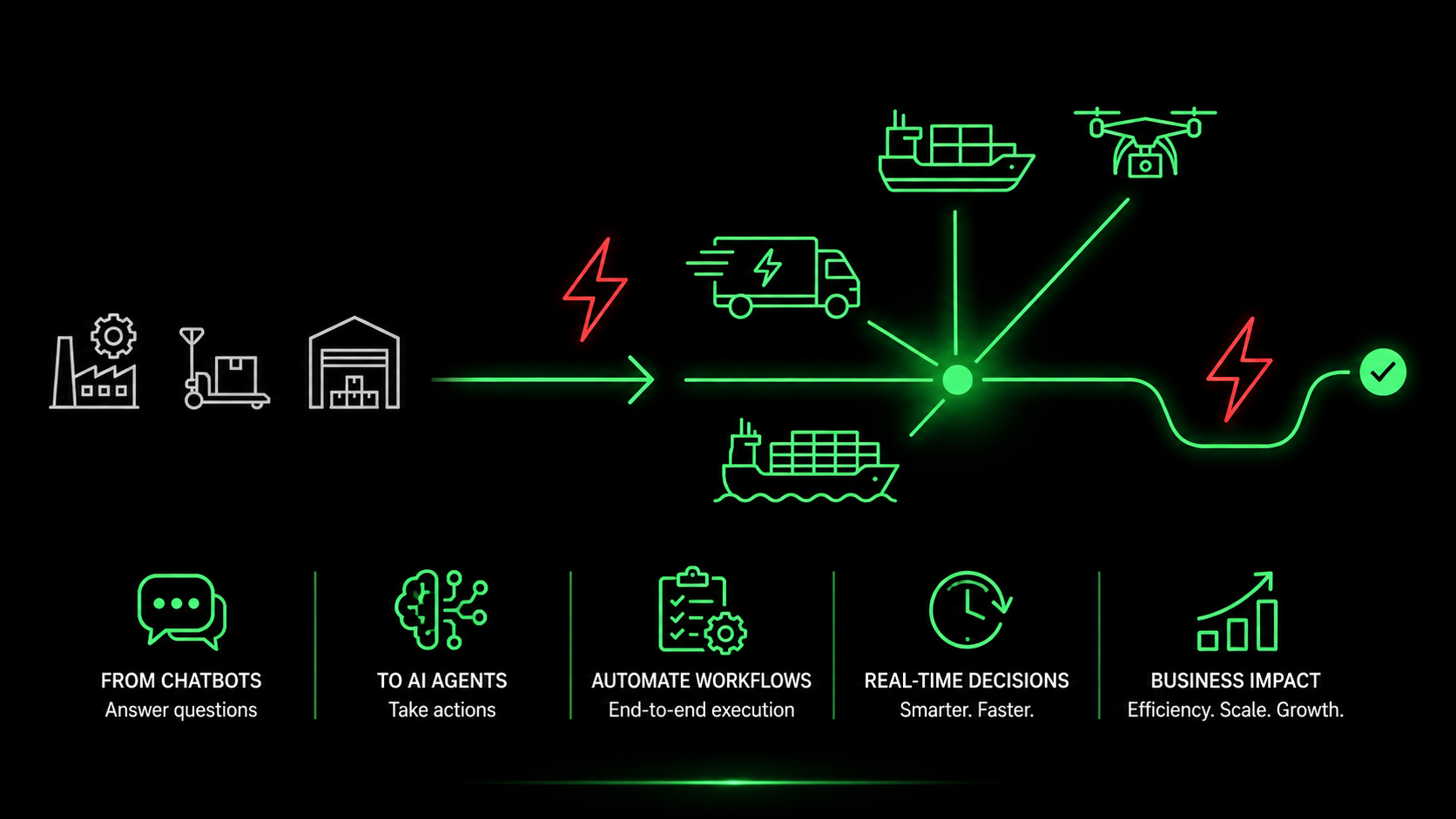
AI Agents for Logistics: From Chatbots to Real Automation
Right now, the logistics tech space is completely overwhelmed by AI marketing. Just about every vendor out there promises artificial intelligence, but if you look past the sales pitches, most of these tools are basic chatbots. They are simple, reactive programs built to reply to human prompts. They answer questions, sure, but they cannot actually move freight.
Logistics teams need to look at actual AI agents as a completely fresh approach rather than just upgraded software. These systems operate like standalone digital team members. These systems operate with full backend access, natively understanding how freight actually moves. They log right into your TMS, WMS, or CRM to handle heavy data workflows on their own, completely removing the need for constant human oversight. For teams running a 3PL, managing complex forwarding lanes, or protecting temperature-sensitive cold chains, ignoring this operational shift is a massive risk. Getting these workflows live in 2026 will allow proactive operators to win business from teams that are still relying on basic chat widgets.
We wrote this piece to look past the marketing buzz and clarify how these platforms operate, where they leave traditional chat tools behind, and what it looks like when a provider like LogixFlow puts them to work in real-time supply chains.
Chatbots: The First Wave (And Its Limitations)
How traditional logistics chatbots work
Think of standard chatbots as a more interactive search bar for your internal data. They pull answers out of uploaded carrier rulebooks, PDF rate sheets, or standard operating guides when someone types in a question. Usually, their work is limited to basic tasks:
Answering customer queries about transit times.
Guiding warehouse staff through basic inventory lookup commands.
Providing drivers with FAQ responses about company policies.
The real problem lies in how they are built. A chatbot has to wait around for a question and cannot kick off a task on its own. It cannot read a shipper’s email, check carrier capacity, and book the load. It cannot scan a Bill of Lading (BOL), pull the right HTS codes, and fill out a customs form. Because it is just a passive layer, it slows things down, and when speed equals profit, passivity costs you money.
AI Agents: The Autonomous Workforce
An AI Agent in logistics is a self-sufficient system. It runs on specific goals, has full read and write access to your databases, and handles workflows across different software platforms completely on its own. It never waits for a prompt. Instead, it looks for triggers, analyzes the situation, and takes immediate action.
Think about how this plays out during a typical tracking issue:
Chatbot: A customer asks where their shipment is. The chatbot pings a tracking API and passes along the current status update.
AI Agent: The agent tracks live GPS data for every active shipment. Imagine a refrigerated trailer strays off course while temperatures inside the container start hitting risky territory. Instead of just highlighting a dashboard, the agent takes over. It alerts the driver directly through their dispatch interface, sends the customer a revised delivery window with a note on the issue, and scans the local market for replacement capacity in case an emergency transfer is needed.
This goes way beyond a basic automated reply. It is an operational decision made and executed in a split second.
The LogixFlow AI Agent Architecture
LogixFlow AI Agents are not just basic language models hidden behind some logistics jargon. They are dedicated digital workers operating on a tailored tri-layer architecture built for real-world supply chains.
The Agent Skill Sets
LogixFlow offers four core agent skill profiles that 3PLs can set up, fine-tune, and put to work:
Skill 1: The Rate Negotiator Agent
Instead of waiting for an employee to check their inbox, this agent monitors your incoming quote requests, WhatsApp messages, and client portals for new RFQs. The second a request comes in, the software pulls the core freight data like the lane, destination, equipment, volume, and commodity type. It then instantly weighs those specs against your base rates, live spot pricing, and available capacity. Within three minutes, it creates and sends over a sharp quotation. For mid-market freight forwarders, this cuts down a multi-day headache into a few minutes, helping win way more spot market business.
Skill 2: The Document Parser Agent
This tool reads messy files like scanned PDFs, phone photos of Bills of Lading, Air Waybills, or customs paperwork sent via text. Using vision tech and language models, it instantly pulls critical data like HTS codes, counts, weights, vessel names, ports, and tracking IDs. It checks this data against purchase logs and drops clean, verified records straight into LogixWMS or LogixTMS. Manual data entry mistakes, which usually sit between 2% and 5% in busy customs environments, completely disappear.
Skill 3: The Exception Handler Agent
This agent functions as a round-the-clock control tower coordinator. It processes constant data streams from IoT tracking hardware, ocean vessel monitors, flight trackers, weather updates, and traffic feeds. It spots any gap between your original plan and reality. If it flags a major bottleneck, such as a port strike in Long Beach, freezing weather on an I-95 cold-chain lane, or customs backlogs, it goes far beyond sending a basic alert. It maps out alternative routes, sources backup carriers, updates manifests, changes ETAs, and informs clients. It handles all of this automatically without needing to wake up a manager in the middle of the night.
Skill 4: The Dispatch Matcher Agent
This serves as the main engine for fleet optimization. It takes incoming orders from the TMS and groups them into smart delivery runs. It matches vehicle details like space, cooling, and hazmat setups against live driver profiles, including hours-of-service limits, current locations, safety records, and past route performance. It then builds final manifests and sends optimized routes directly to driver phones. Complex multi-stop dispatching that used to take an entire team happens continuously, cleanly, and without human bias or fatigue.
Why This Matters for 3PL Margins
Labor remains the highest operational cost for most 3PLs. AI Agents do not replace your people; they give them better work to do. Dispatchers can stop fighting with spreadsheets and focus on exceptions that actually need a human touch. Billing teams can stop chasing physical proof-of-delivery slips and focus on maximizing account margins. Support reps can stop answering basic tracking requests because proactive tracking alerts handle it first.
The financial reality is clear. A 3PL bringing in a hundred million dollars with a 5% leak from manual billing slip-ups loses five million dollars every year to simple operations friction. AI Agents plug that leak by connecting operational milestones directly to your financial billing.
The Multi-Agent Future
The next step heading past 2026 is multi-agent orchestration. Picture a Rate Negotiator Agent winning a spot deal, which immediately tells the Dispatch Matcher Agent to book the truck, while the Document Parser Agent handles the customs paperwork and the Exception Handler Agent checks ahead for bad weather. This is not some future fantasy. It is the exact setup LogixFlow is deploying right now.
Conclusion
Chatbots could only answer questions, but AI Agents actually run operations. For 3PLs across North America and global trade lanes, moving from static chat tools to active digital workers is the most important technology shift of the decade. LogixFlow delivers the entire framework with its tri-layer design, no-code setup, and native runtime to get things live in weeks, not years. Logistics executives do not need to wonder if AI belongs in their operations. The real challenge is surviving if your competitors get their digital teams running before you do.
FAQs
1. How exactly does an AI Agent differ from a standard chatbot?
A chatbot just stands by to answer questions. An AI Agent acts like an employee; it has system access to jump into your TMS or WMS and execute actual operations without waiting for you to tell it to.
2. Do we need to replace our existing TMS or WMS to use LogixFlow?
No. They plug straight into your existing TMS, WMS, and CRM via APIs. Think of them as digital workers logging into the tools you already use.
3. How do these agents handle bad data, like blurry photos of paperwork?
The system uses vision tech to parse messy files or blurry phone photos. It pulls out key details like HTS codes, verifies them against your logs, and flags the file for a human only if the data truly does not match up.
4. Will deploying AI agents mean replacing our entire operations team?
No. It eliminates the grunt work. Your team stops chasing paper logs, fixing data entry typos, and fighting spreadsheets so they can focus on actual client relationships and complex issues.
5. What happens if an agent makes an operational mistake?
You set the guardrails. If a rate calculation or a route disruption falls outside the rules you put in place, the agent instantly passes the decision to a manager. bold they headlines
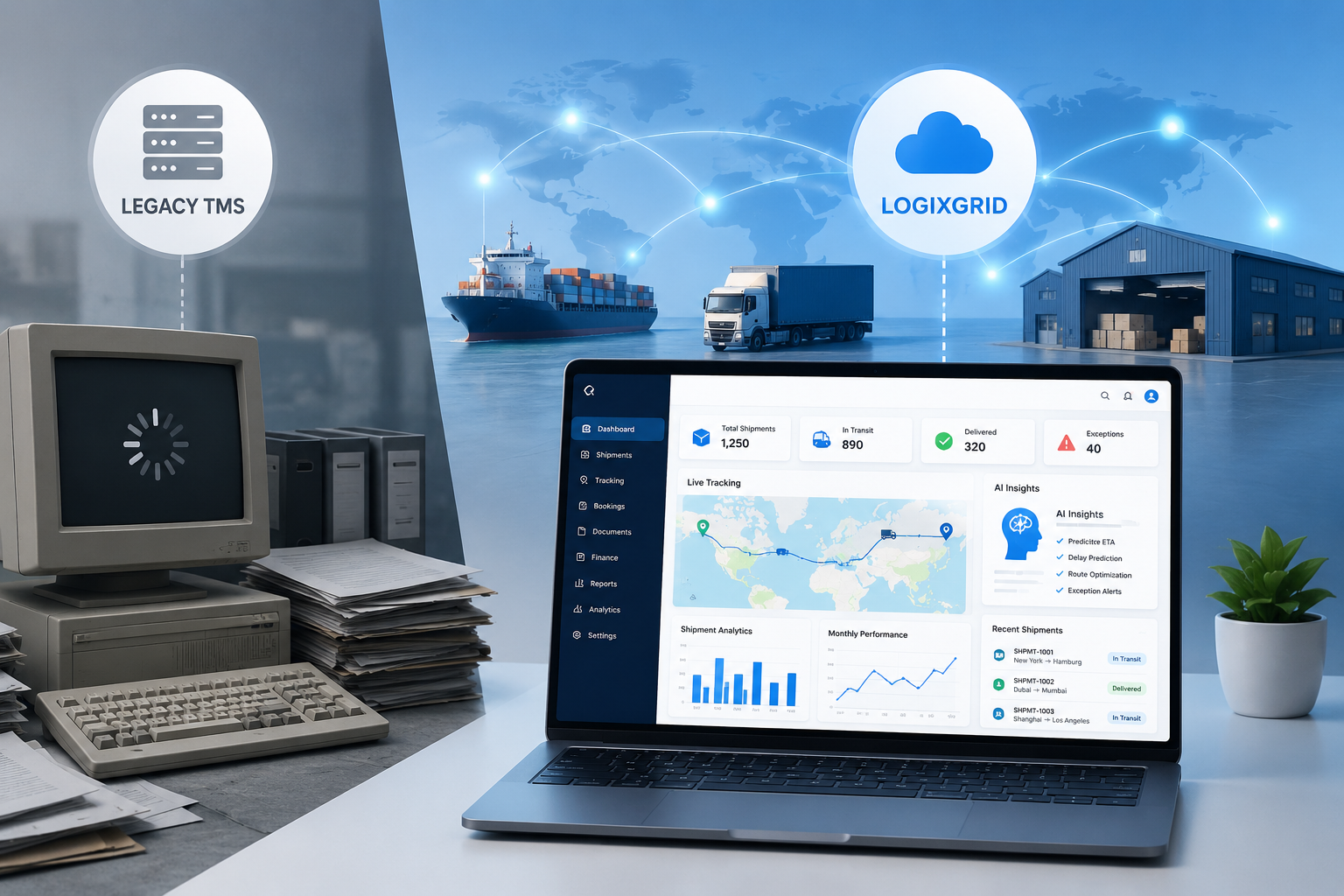
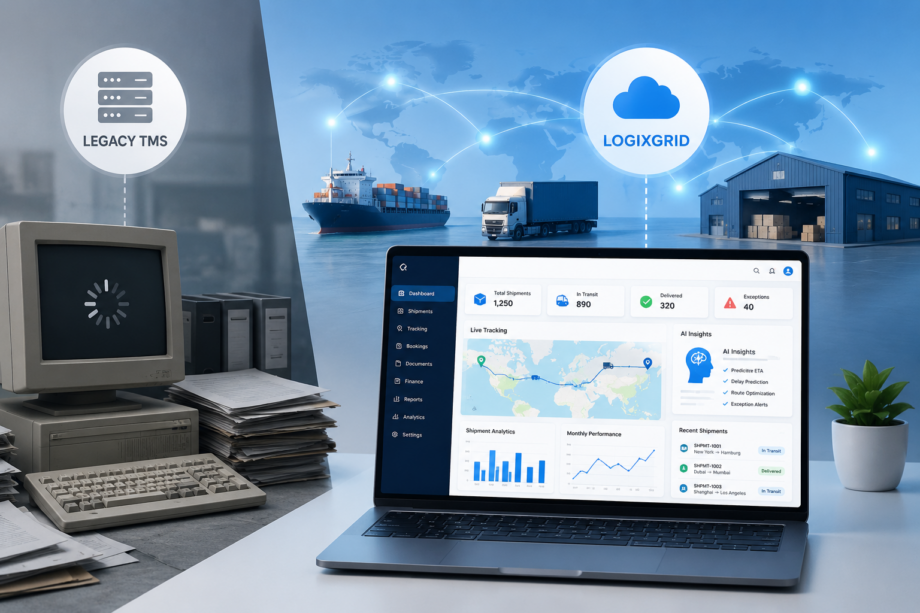
For twenty years, old freight platforms sold shippers on big promises: cheaper freight moves, happier carriers, and smooth dock operations. What actual logistics managers ended up with was a mess of two-year rollouts, hidden maintenance bills, trapped data, and clunky screens that freeze during busy shipping peaks. When comparing LogixGrid vs. Legacy TMS, the difference comes down to real-time control versus rigid software that belongs in a museum.
If you run a fleet, manage a 3PL, or direct a global forwarding outfit, understanding the true role of transportation in supply chain management determines whether your profit margins stay healthy or disappear into billing errors and detention fees.
Here are nine reasons logistics leaders are throwing out outdated software and moving to LogixGrid.
1. Launch in Weeks, Not Years
Old software drags out installation for 12 to 24 months. You end up waiting on local server setups, custom database builds, and endless consultant billable hours before booking your first load. LogixGrid runs completely on modern cloud systems. That means you configure ocean forwarding rules, customs clearance workflows, and temperature-controlled routes in a couple of weeks without writing code.
Instead of spending two years setting up software, your transport and logistics management team sees value almost immediately. You get immediate visibility over lanes, active loads, and carrier rates without holding up daily operations or waiting on external IT crews.
2. Predictable Subscriptions Without Hidden Fees
Legacy vendors love hiding their true cost inside tricky contracts. You buy expensive perpetual software licenses upfront, and then the surprise bills start trickling in: annual maintenance fees, server upkeep costs, and high billable rates whenever you ask for a simple setup tweak.
LogixGrid handles pricing differently. Everything runs on a straightforward subscription model. Cloud hosting, platform updates, and standard customer support come wrapped together in one clear fee.
Updates install quietly in the background, so you never get pulled offline or hit with an unexpected upgrade invoice. When you look at long-term operating costs, cutting out specialized technical labor, extra server hardware, and surprise support invoices makes the transition pay for itself fast.
3. One Unified Platform Instead of Frankenstein Software
Most legacy vendors grew by buying smaller software tools over time. That strategy leaves shippers with a messy stack of modules that refuse to talk to each other. Accounting sits in one app, dispatch runs on a second, and customs operates on a third. When apps don’t connect, teams end up stuck in spreadsheet hell, copying numbers back and forth all afternoon just to bridge the gaps.
LogixGrid pulls all these tools—LogixTMS, FreightNX, LogixWMS, LogixLMS, LogixFinance, LogixCRM, LogixDocs, plus LogixForms—under a shared hood. Everything runs off the exact same database. That means no more re-keying entries, far fewer billing blunders, and a straightforward view of your operations for executives.
4. Live Tracking Across Your Transportation Network
Batch EDI files, spreadsheet updates, and email threads lag hours or days behind reality on the highway. Instead of leaning on stale feeds, the system pulls data straight from GPS boxes, IoT sensors, and carrier APIs to your main monitor.
Temperature drop in a reefer? Port gridlock? You see it as it happens. You can even email customers direct tracking links right from the platform before delivery windows get missed. Modern transportation networks demand real-time facts, not delayed reports, so your team can head off expensive chargebacks before they happen.
5. Practical AI via ALYA
LogixGrid includes ALYA AI, a group of dedicated tools built to take repetitive desk work off your team’s plate:
Rate Negotiator: Checks quote requests against past lane rates and current capacity to shoot back competitive quotes in under three minutes.
Document Parser: Pulls crucial info right off bills of lading, airway bills, and invoices. Your team barely touches the keyboard.
Exception Handler: Tracks incoming storms or port bottlenecks, warning you to reroute rigs before they get trapped at dock doors.
Dispatch Matcher: Groups orders, pairs drivers with shipments, and tracks HOS regulations alongside safety records simultaneously.
By taking over these routine administrative jobs, ALYA cuts routine desk work by 30% to 50%, letting your operators focus on solving actual logistics issues.
6. Scale Without Hardware Ceilings
Local servers hit physical limits fast when it comes to CPU, RAM, and storage space. Surge season hits, or you buy out a regional carrier, and suddenly you’re writing fat checks for new hardware just so systems don’t crash.
Cloud infrastructure changes completely. Opening a warehouse, spinning up an office, or adding a wave of new carriers takes just minutes in the settings menu. Speed and stability stay consistent whether your monthly load count sits at 1,000 or pushes past a million. For finance teams, that keeps capital focused on growing fleet assets rather than buying server racks.
7. Client Portals People Actually Like Using
B2B clients expect tracking tools similar to consumer delivery apps. Old customer portals look like clunky spreadsheets from twenty years ago that require IT help to make simple changes.
LogixGrid gives you branded portals where clients book shipments, track loads on live maps, file customs forms, and download invoices themselves. Handing customers self-service tools cuts down phone inquiries, gets invoices paid faster, and builds trust through total visibility.
8. Built-In ERP and Customs Connections
Custom software integrations on legacy platforms tend to snap every time an ERP vendor or customs authority releases a software patch. Fixing those broken connections usually means paying external consultants to rewrite custom code from scratch.
LogixGrid offers pre-built connectors for SAP, Oracle, NetSuite, and Microsoft Dynamics, alongside direct connections to major customs platforms. Connecting new systems takes quick setting adjustments rather than custom programming. When external standards change, LogixGrid maintains those connectors in the cloud so your daily operations keep moving without a hitch.
9. Silent Background Upgrades Without Downtime
Legacy software updates happen every few years through massive, painful rollouts that require months of system testing, data migration, and staff retraining. By the time the rollout finishes, the software feels old again.
LogixGrid pushes continuous updates quietly through the cloud. Your team gets new tools, tax compliance adjustments, and security patches automatically without pausing daily shipping. That steady flow keeps your technology up to date without disrupting operations or forcing users through long retraining sessions.
Conclusion: Modernize Your Freight Operations
Modern transportation management shouldn’t feel like fighting your own internal tools. Freight transport isn’t just an administrative expense anymore; it’s a profit driver.
Hanging onto legacy platforms drains money through sluggish dispatching, missed automation, and manual typos. Switching to LogixGrid delivers the flexibility, speed, and visibility required in today’s market.
Get in touch with LogixGrid to schedule a walkthrough built around your actual lanes and carrier setup.
FAQs
1. What sets LogixGrid apart in the LogixGrid vs. Legacy TMS debate?
In the LogixGrid vs. Legacy TMS debate, old platforms rely on rigid local servers and disconnected tools. LogixGrid deploys in weeks, automating routine tasks with AI and unifying transport and logistics management under one dashboard.
2.How fast can our team make the switch?
Most teams go live in weeks rather than 1–2 years, using modular templates to prevent downtime while upgrading their transportation management stack.
3.How does tracking work across a complex transportation network?
It connects directly to carrier APIs, GPS hardware, and IoT sensors, providing real-time visibility across your entire transportation network.
4.What tasks does ALYA AI take over?
ALYA streamlines daily transport and logistics management by drafting quotes, reading shipping paperwork, flagging weather delays for rerouting, and pairing drivers with shipments while checking safety rules.
5.Is LogixGrid a good fit for mid-market fleets and 3PLs?
Yes. Mid-sized 3PLs, freight forwarders, and fleets gain enterprise-level transportation management tools paired with clear subscription pricing.
6.How are regulatory updates handled?
Customs forms and regional compliance changes update automatically in the cloud without pausing daily operations.
7.Why focus on modern transportation management right now?
The role of transportation in supply chain management directly impacts overall profitability. Upgrading to modern transportation management software lowers labor hours, prevents transit delays, and updates customers automatically.
8.Will changing software disrupt daily freight moves?
No. LogixGrid uses phased rollouts, letting you launch core shipping tools first and add warehouse, finance, or CRM modules whenever you are ready.
9.What ROI timeline should we plan for?
Most shippers see full payback within 12 to 18 months, driven by lower IT overhead, faster billing cycles, and reduced manual labor hours.
If you run a freight forwarding company in Australia with 20 to 200 staff, your software should work as hard as your operations team. Not harder. Yet for many small-to-mid-market forwarders, the reality is the opposite: clunky interfaces, expensive consultants, and monthly invoices that seem to grow every quarter. The good news? That is no longer the only option.
This guide is built for decision-makers at Australian forwarders, customs brokers, and 3PLs who need enterprise-grade freight forwarding software without the enterprise-grade price tag, implementation timeline, or IT dependency. We will look at what actually belongs in a modern freight forwarding system, why the Australian market demands a specialised approach, and how FreightNX by LogixGrid compares to legacy enterprise platforms like CargoWise on the metrics that matter to growing teams.
What follows is the definitive breakdown of every capability an Australian freight forwarder should demand — not as a wishlist, but as an operational standard.
Australia is not a generic logistics market. With nearly 60,000 kilometers of coastline, major cities separated by thousands of kilometres of inland road and rail, and some of the strictest border biosecurity rules in the world, the operational complexity is unique. A container that lands in Fremantle and delivers to a regional site in Kalgoorlie involves ocean freight, customs clearance under the Integrated Cargo System (ICS), potential DAFF inspection, and inland road or rail transit — all tracked under client SLA pressure.
For small-to-mid-market operators, this means your freight forwarding software Australia must handle multi-modal execution, customs automation, and real-time visibility without requiring a dedicated IT department to maintain it.
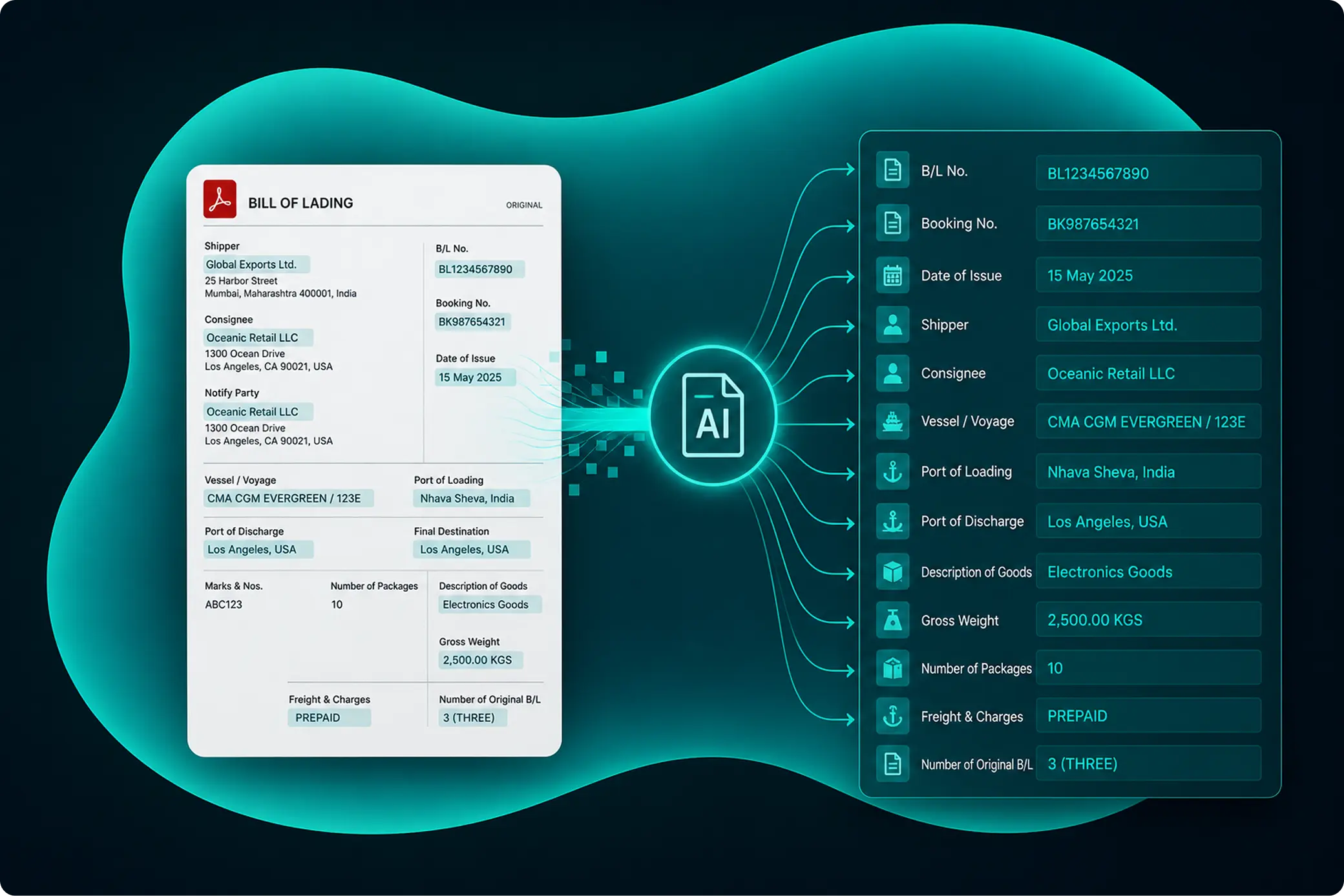
There is no denying CargoWise is powerful. It dominates the large enterprise freight forwarding space globally and in Australia. But “powerful” and “right-sized” are not the same thing.
For small-to-mid-market operators, the CargoWise experience often looks like this:
FreightNX is the freight forwarding module within the LogixGrid logistics ecosystem. It was built from the ground up for operators who need the core capabilities of an enterprise **freight management system** without the enterprise baggage.
FreightNX implementations typically go live in 4 to 8 weeks. Not because features are missing, but because the architecture is modular and cloud-native. You activate the modules you need first — booking, customs, finance, and tracking — and turn on AI agents, or warehouse links as you grow. No server procurement. No database tuning. No six-figure professional services contract to get started.
FreightNX runs on a simple SaaS subscription. You know your monthly cost before you sign, and it scales predictably with users and volume. There are no surprise invoices because you dared to turn on an accounting connector or a customer portal. For CFOs and owners at Australian forwarders watching every dollar, that predictability matters.
The low-code workflow builder lets your operations manager design a new customer onboarding flow, modify a customs declaration form, or add a surcharge rule — in an afternoon, without writing code or hiring a consultant. That agility is how mid-market forwarders compete: they adapt faster than giants bogged down in change-request queues.
FreightNX embeds ALYA AI across its core modules. The Document Parser reads Bills of Lading, commercial invoices, and AWBs automatically. The Rate Negotiator suggests competitive quotes based on your historical lane data and current carrier rates. The Exception Handler watches port congestion, weather, and carrier delays, then alerts your team and the customer before the problem becomes a complaint. These are not roadmap promises. They are live capabilities that reduce admin hours per shipment by 30 to 50 percent.
| Factor | CargoWise (Enterprise Legacy) | FreightNX (No-Code AI) |
|---|---|---|
| Typical go-live time | 12–24 months | 4–8 weeks |
| Pricing transparency | Module-based; costs grow with customisation | Fixed SaaS subscription; predictable monthly spend |
| Customisation | Requires accredited consultants and coding | Low-code; operations staff configure workflows |
| AI automation | Minimal native AI; rule-based automation | Embedded AI for docs, quotes, exceptions, dispatch |
| Total cost of ownership | High; scales with enterprise support needs | Low-to-mid; suited for 20–200 person operators |
| Australian customs readiness | Comprehensive but requires configuration | ICS, DAFF, and biosecurity built for AU market |
| Scalability | Enterprise-grade for global mega-forwarders | Cloud-native; grows from 20 to 500+ users seamlessly |
| Customer portal | Available as add-on; complex setup | Native white-label portal; configurable by operations |
The Australian freight forwarding market is too competitive, too regulated, and too geographically demanding for software that slows you down. Small-to-mid-market operators need a freight forwarding system that unifies multi-modal execution, customs automation, finance, and customer experience — without the consultant bills, hidden fees, and year-long implementations that drain cash and morale.
FreightNX was built for exactly this profile. It gives Australian forwarders the digital backbone they need to compete with larger players, the transparency their CFOs demand, and the agility to adapt to customer needs the same day they arise.
Ready to move faster than your competition?
No setup fees. No hidden modules. No consultant queues. Just the freight forwarding software Australia was missing for the mid-market operators who keep the country moving.
For small-to-mid-market Australian forwarders, the best platform combines multi-modal operations, ICS customs integration, real-time tracking, and transparent SaaS pricing — without requiring a dedicated IT team or long implementation. FreightNX is designed specifically for this segment.
Low-code or no-code logistics platforms use visual workflow builders instead of custom code. Operations managers can configure rate rules, customs forms, approval chains, and customer portals through drag-and-drop interfaces, reducing dependency on external developers.
Yes. FreightNX offers comparable core freight forwarding, customs, and finance capabilities with a faster deployment model, transparent subscription pricing, and AI automation — specifically positioned for mid-market operators seeking proportionality over infinite configurability.
Most FreightNX implementations go live in 4 to 8 weeks. Data migration, user training, and parallel-running periods are compressed because the platform is cloud-native and modular.
Immediate ROI appears in reduced data entry time, faster quote turnaround, fewer customs errors, and proactive exception handling. Most operators see 30 to 50 percent administrative time savings within the first 90 days.
Shipping things that final mile in Canada is an expensive nightmare. It is easily among the highest costs you will find worldwide, and the reasons are entirely structural. Think about the geography. You have massive, empty spaces separating major cities. Winters are brutal enough to shut down main highways overnight. On top of that, outside of the Ontario-Quebec corridor, people are incredibly spread out. Throw in the paperwork and delays of moving freight across the US border, and American 3PLs or local Canadian carriers face a brutal reality: the final leg of the trip destroys your margins.
By 2026, new tech is changing the math. But if you run a mid-sized operation, your problem isn’t a lack of ideas. It is the sheer amount of money and time it takes to build custom software from scratch. That is where no-code steps in. This guide breaks down three practical, field-tested approaches logistics companies are using to trim down last-mile overhead using visual tools built on the LogixFlow platform.
Before trying to fix anything, look at what drivers actually face on the ground. Dropping a load in central Toronto is a headache of gridlock fees, tiny loading bays, and brutal timing windows. Yet if that route shifts to out-of-town Calgary, your driver is suddenly logging 80 kilometers just to clear a single gap between stops. Then you have places like Northern Ontario or rural British Columbia, where cellular networks cut out entirely. Good luck getting real-time tracking updates or talking to your fleet there.
Standard logistics software assumes you always have a strong 5G signal, dense cities, and painless returns. Anyone running trucks in Canada knows that is a pipe dream. Operators need apps they can tweak themselves to fit local constraints, without waiting around for a software vendor’s engineering team to handle a support ticket.
Nothing burns cash faster than an empty truck bed or a driver backtracking across town. Static route planning done the night before becomes useless the moment a client calls to reschedule, a highway freezes over, or a truck gets stuck in traffic.
Operations managers can build a dedicated mobile app for drivers right inside LogixFlow Studio without typing a line of code. The application handles live GPS tracking, pushes instant routing changes to the field, and records digital proof of delivery along with photos of any damaged cargo. Because these tools run on local, offline SQLite storage, drivers working in deep dead zones can still check off jobs, collect signatures, and queue up status updates. The minute the phone finds a signal again, the app pushes all that data right back to the central Transportation Management System (TMS).
This no-code setup lets regional dispatchers change routing logic on the fly using a visual interface. This means a Montreal terminal and a Vancouver branch can run totally different routing rules on the exact same LogixPlatform setup, tailored perfectly to their local rural or urban routes.
Every single WISMO phone call costs North American logistics operations between four and eight dollars. If you are a Canadian final-mile carrier moving two thousand packages a day, cutting those customer service calls by just 15% saves you hundreds of thousands of dollars in yearly support staff costs.
With LogixFlow Studio, logistics providers can quickly roll out branded web portals for their clients. These interfaces show live arrival estimates, real-time map tracking for drivers, and immediate electronic proof of delivery. Crucially, because these portals link straight to LogixPlatform’s core database, the tracking data isn’t just pulled from third-party websites. It is direct, accurate, and completely live.
For cargo coming north from the United States, these client hubs can display live customs clearance updates, pending tax balances, and CBSA border holds. That turns a simple tracking link into a complete border compliance tool.
Billing for Canadian freight brings hidden compliance issues that US operations rarely expect. You have to deal with currency shifts, regional taxes like GST, HST, or QST, wild fuel spikes in remote zones, and mandatory bilingual paperwork. If your billing is completely disconnected from your actual dispatch, you lose cash everywhere.
LogixFinance integrates directly into the broader LogixFlow system to link delivery tasks straight to your accounting books. The second a driver scans a package at a loading dock, an invoice generates. If a delivery goes to a remote Alberta address, the regional surcharge is calculated and billed automatically. Say a rig gets delayed at a Toronto cross-dock. That extra terminal wait is tracked, proven, and slapped right onto the customer bill before the driver even shifts into drive. Local trucking lines completely avoid the nightmare of tracking down drivers for missing paper trip logs when month-end rolls around. The system builds the ledger automatically as things happen, outputs it in both French and English if needed, and applies the right provincial taxes instantly.
In the past, setting up these three strategies would mean managing three massive software projects at once: hiring developers for a custom mobile app, launching a client web portal build, and figuring out a complex financial integration. LogixFlow cuts through that by letting operations leaders build everything on a single visual screen. You can deploy updates and fixes in a couple of hours instead of waiting months. For Canadian logistics operations dealing with shrinking profit margins and volatile fuel prices, that kind of speed is your best competitive advantage.
Blame geography. You are dealing with massive empty gaps between cities, brutal winter highway shutdowns, and a tiny population scattered outside the main Ontario-Quebec corridor.
It keeps working fine. The app saves everything locally—like signatures, drop logs, and damage photos. The second the phone catches a signal, it drops all that data right back into your system.
They stop clients from calling your team to ask where their freight is. Since every single one of those check-in calls costs around four to eight bucks to answer, cutting them down keeps money in your pocket.
It hooks your billing straight to actual delivery scans. If a driver hits an extra terminal delay or handles a remote drop, the system flags it and slaps it onto the invoice before the truck even leaves.
Not at all. Dispatchers and managers can tweak routing rules or update tracking portals themselves using a visual screen without touching a line of code.