

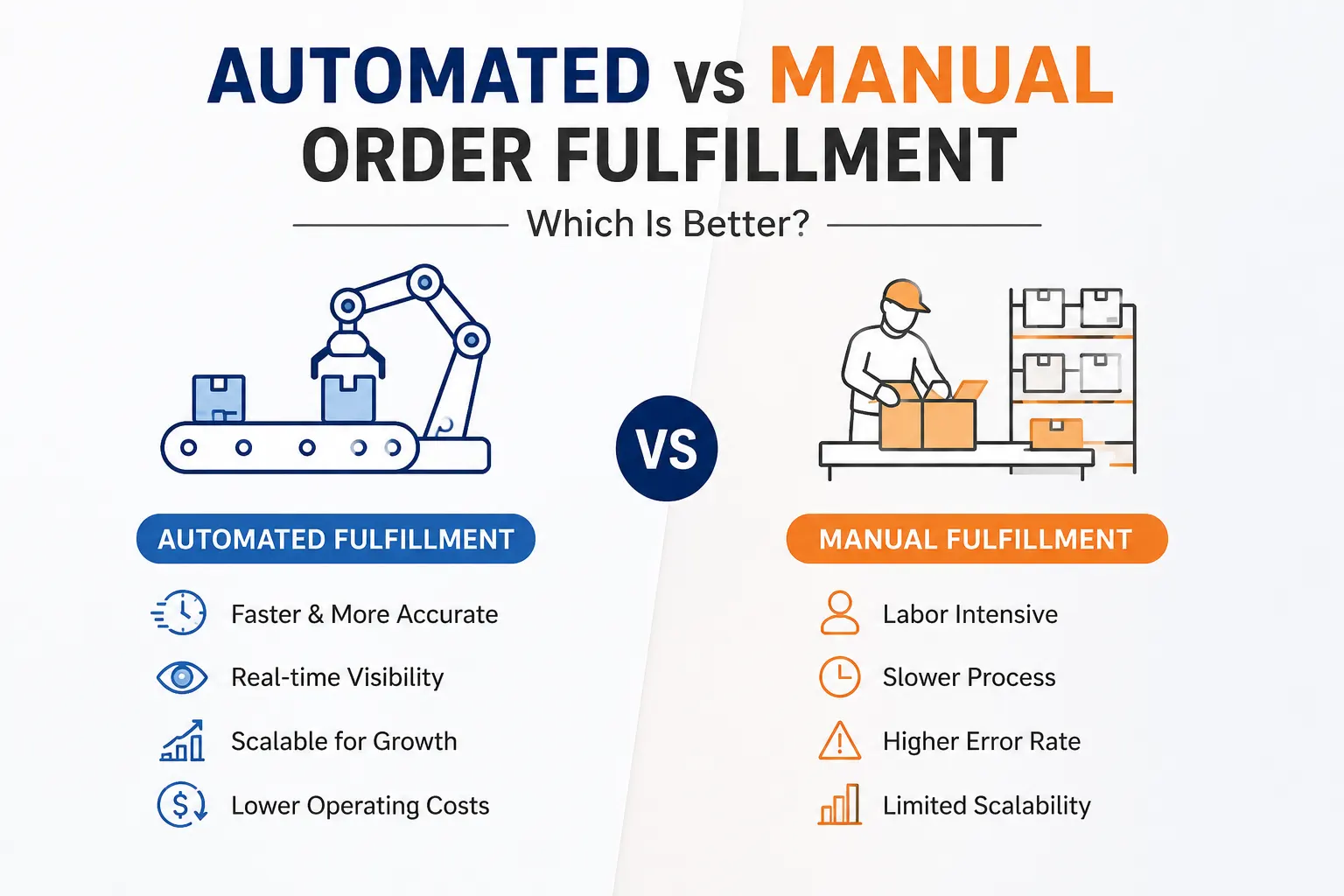
Automated vs Manual Order
Automated vs Manual Order Fulfillment: Which Is Better?
Midnight hits. A tired shopper taps the buy button on their phone. They fall asleep expecting a delivery truck by sunrise. Magic? Not quite. Moving merchandise from a dusty warehouse shelf to a front porch hides a brutal string of unseen operations. Figuring out automated vs manual order fulfillment goes far beyond picking flashy software over human muscle. You have to find an operational fit.
Getting a product out the door requires heavy lifting. You have to lock down the sale and clear the payment. Then comes verifying stock. Someone has to grab the items, pack the box, print the tag, and hunt down the delivery driver. Do not forget to track the route and deal with returned items later. A basic manual setup might hum along nicely for fifty daily orders. Push that to five hundred or five thousand, and the whole building grinds to a halt. The smartest operational move? Pick the system that holds accuracy steady and keeps visibility crystal clear when daily chaos multiplies.
What Order Fulfillment Really Involves
From Order to Delivery
To grasp the core differences, we must look at the complete lifecycle of a purchase. Every single step represents a potential handoff point.
Customer Order
↓
Order Validation
↓
Inventory Check
↓
Order Allocation
↓
Picking
↓
Packing
↓
Shipping & Dispatch
↓
Tracking
↓
Delivery / Return
Systems driven by humans and machines differ drastically at every one of these handoff moments, not merely when a worker walks down an aisle to grab a product. Information changes hands repeatedly.
Manual Fulfillment: How It Actually Works
People Drive Every Handoff
Look at standard setups on platforms like O2VEND. Manual processing usually relies on a person handling every step from order entry to shipping. A worker stares at an inbox or a basic portal, waiting for sales to roll in. They physically check the stockroom or type an update into a spreadsheet. After that, a person has to assign the goods, get picking instructions printed, create shipping labels by hand, change the dispatch status, and send a message to the buyer. Once closing time hits, somebody has to sit down and reconcile the books by hand.
Where the Hidden Delay Starts
Delays hide in the empty spaces between tasks. A worker waits for someone else to finish checking the stockroom. One computer program holds information that another lacks. A single order gets double-checked for absolutely no reason. A stock update happens too late, meaning a second customer just bought a sold-out item. Shipping labels get generated separately from the primary sales record.
The main disadvantages of manual order fulfillment stem from information moving slowly between isolated workers and disconnected software, rather than humans moving too slowly. Managers often miss how these disadvantages of manual order fulfillment ruin customer trust over time. Eventually, the worst disadvantages of manual order fulfillment drag the whole business down.
Automated Fulfillment Changes the Workflow
Rules Replace Repetitive Handoffs
Software steps in to connect the dots instantly. It links order intake, stock validation, allocation, picking guidelines, carrier selection, label generation, notifications, tracking, and exceptions without a single pause. Platforms like LogixGRID handle these connections through custom APIs, real-time dashboards, and carrier integrations. There is zero waiting around for a spreadsheet update.
Automation Is Not “No Humans”
Here lies the true secret. Debating automated vs manual order fulfillment does not mean looking for ways to fire your entire staff. Automation simply takes human attention away from mindless, repetitive clicking. It points your team toward handling exceptions, making strategic decisions, and supervising the overall flow. Machines do the routing while humans do the thinking.
Manual vs Automated Fulfillment Process
Comparing the approaches side by side reveals a massive shift in how data travels. A true manual vs automated fulfillment process comparison shows that software wins mostly because it maintains a continuous data stream between stages, rather than just doing individual tasks faster.
| Fulfillment Stage | Manual Approach | Automated Approach |
| Order entry | Human entry or import | System integration |
| Stock check | Manual lookup | Real-time system validation |
| Allocation | Employee decision | Rule-based allocation |
| Picking | Printed list instructions | Digital or mobile workflows |
| Packing | Manual verification | System-guided process |
| Label creation | Separate or manual | Automated generation |
| Carrier selection | Human choice | Configurable rules |
| Tracking | Manual updates | Automated status flow |
| Exceptions | Employee discovers issue | Alerts and workflows |
| Reporting | Spreadsheet consolidation | Dashboard analytics |
When studying this setup, notice how a manual vs automated fulfillment process differs fundamentally. The manual side requires a person to push the data forward at every single step. Connectivity beats raw speed every single time.
The Benefits You Notice And the Ones You Don’t
Speed Is Only the First Benefit
When comparing a manual vs automated fulfillment process, everyone looks at the clock first. A digitized system delivers faster order processing, cuts out repetitive data entries, speeds up label generation, and fires off status updates instantly. It also reduces your reliance on a single employee who holds all the operational secrets in their head. The most obvious automated order fulfillment benefits save you time immediately.
The Less Obvious Gains
The deeper automated order fulfillment benefits hide beneath the surface. You get lower coordination overhead since managers spend less time delegating basic tasks. Traceability skyrockets. Process execution becomes entirely consistent. You catch exceptions way earlier, gather vastly superior operational data, and can onboard new staff in days instead of months. These hidden gains replace fragile tribal knowledge with hardcoded operational rules.
Where Manual Fulfillment Still Wins
Despite the common downfalls mentioned earlier, human hands remain the smarter choice under certain conditions. Extremely low daily volumes make complex software unnecessary. When you sell completely custom products, deal with unpredictable workflows, or build strange one-off creations, you need a real person making judgment calls at every single step. Startups still trying to figure out their target market usually do better when they keep things manual. If the technology costs more than the problem it solves, stick to clipboards. Manual labor is not automatically a bad thing. Problems only surface when your team drowns under an overwhelming flood of repetitive daily tasks.
Pros and Cons of Automated Fulfillment
Evaluating the pros and cons of automated fulfillment keeps expectations grounded.
| Pros | Cons |
| Faster repetitive processing | Initial implementation cost |
| Consistent workflows | Integration complexity |
| Better visibility | Requires process standardization |
| Easier scaling | Staff training required |
| Reduced data entry burden | Poor configuration speeds up bad processes |
| Better auditability | System downtime halts operations |
The Automation Trap
Reviewing the pros and cons of automated fulfillment reveals one massive trap door. Software cannot fix a bad workflow. It only forces a terrible workflow to run at lightning speed. Bad SKU mapping or wrong inventory rules will trigger absolute chaos. Flawed carrier rules or duplicate order glitches create huge messes much faster than any human worker ever could. The system merely follows the instructions you provide.
The Numbers Behind the Decision
Forget about throwing out random industry statistics. Think about a basic illustrative calculation instead.
Say your warehouse receives 100 orders daily. If human handling takes 6 minutes per order, you face 600 minutes total. That equals 10 hours of staff time every single day. If technology cuts out 3 minutes of repetitive clicking per order, you save 300 minutes. That brings you down to 5 staff hours daily. Over 26 operating days, you save 130 staff hours a month.
When analyzing automated vs manual order fulfillment, actual math beats guesswork. Your true financial calculation must include the software price, integration fees, labor costs, rework expenses, returns, SLA penalties, and the opportunity cost of doing nothing.
To accurately answer is automated order fulfillment better than manual, you have to run these numbers for your specific warehouse.
Is Automated Order Fulfillment Better Than Manual?
If you are wondering is automated order fulfillment better than manual, this decision matrix can guide you.
| Situation | Better Fit |
| Very low volume | Manual |
| High repetitive volume | Automated |
| Many sales channels | Automated |
| Complex custom orders | Hybrid |
| Frequent exceptions | Hybrid |
| Real-time inventory requirement | Automated |
| Highly variable processes | Hybrid |
| Rapid scaling | Automated |
Usually, the answer leans toward yes. Growing companies juggling multiple sales channels, heavy SKU counts, and complex daily setups definitely need the upgrade. Yet, the choice is never completely absolute. When board members ask is automated order fulfillment better than manual, point them to the daily data. Figuring out the right path depends entirely on your current scale and complexity.
Why LogixGRID Fits the Automation Gap
One Platform, Multiple Operational Layers
Unlocking true automated order fulfillment benefits requires flexible software like LogixGRID. It acts as the ultimate companion for logistics operations needing more than a basic order processor. The system brings a lot to the table with dedicated modules. You get Logix WMS for running the warehouse, Logix LMS for managing logistics, and Logix TMS for handling transportation. They also pack in Logix DMS to manage deliveries and Logix CMS for tracking couriers. Need more? You can plug into Logix NEO for on-demand delivery tasks, or use Logix FreightNX, Logix Finance, and the Logix Shipping API. They even throw in LogixCRM, LogixDocs, and LogixForms.
When examining automated vs manual order fulfillment, having customizable tools makes all the difference. Instead of trapping your operation inside rigid software boundaries, they provide custom building blocks. LogixStudio and LogixFlow let you map out totally unique workflows, personalized rules, and fresh dashboards straight from the ground up. The main question is not merely deciding to digitize. It is finding technology that adapts to the way your supply chain actually functions.
The Smarter Answer: Automate the Right Parts
Understanding the pros and cons of automated fulfillment leads directly to a hybrid approach. The smartest warehouse operators digitize the repetition and reserve human judgment for the exceptions. You might want automated inventory validation paired with human approval for highly unusual bulk purchases. You can set up instant carrier selection but flag shipping delays for human intervention. System-generated customer notifications work perfectly until a major escalation requires a genuine apology from a real person.
Read more: What Is an Automotive Logistics Management System?
Conclusion
Human-driven processing absolutely works in the right context. Yet, digital intervention becomes mandatory as volume and complexity rise. Debating automated vs manual order fulfillment is never really about making human workers disappear. The true measure of success is whether your team spends less time moving raw data from one screen to another and more time solving meaningful logistical problems.
Acronyms Used
- WMS: Warehouse Management System
- LMS: Logistics Management System
- TMS: Transport Management System
- DMS: Delivery Management System
- CMS: Courier Management System
- API: Application Programming Interface
- SKU: Stock Keeping Unit
- SLA: Service Level Agreement
FAQs
1. What is automated vs manual order fulfillment?
Automated fulfillment uses software and workflows to handle repetitive tasks, while manual fulfillment relies mainly on people.
2. What are the main automated order fulfillment benefits?
Faster processing, fewer manual errors, better inventory visibility, and easier scaling are key benefits.
3. What are the disadvantages of manual order fulfillment?
It can take more time, create data-entry errors, and become difficult to manage as order volumes grow.
4. What are the pros and cons of automated fulfillment?
Automation offers speed and consistency but may require upfront investment, integration, and staff training.
5. Is automated order fulfillment better than manual?
For growing, high-volume operations, automation is usually better, while smaller or highly customized operations may prefer a manual or hybrid approach.